
Description

Reviews (10 cached)
This app worked great for me and despite the inconvenience of having to click into the address bar before typing, i got used to it over the 3 years during which I used the app. However, I am trying to import a backup file I had imported earlier and cant figure out how. I would also like to know how to transfer the notes to a different computer (tried coping the extensions folder from C:\Users\[User_Name]\AppData\Local\Google\Chrome\User Data\Profile 2\Extensions\mhgiefelomcdfcdbknkkohpibdpbdhmo\ and that's not working). Any help will this will be appreciated. Thanks! Please feel free to reach out to thelionhearted2112@gmail.com
I use it for a few years it was always very good today I went to open my notes all notes are gone when i have a backup on my computer how do i take it from computer to extension? already my notes are all gone today my day is very sad this extension ended my day
I just dont know how to use it
So great extension, but havnt got synchronization between devices...
Very clean but takes over the address bar which is really disruptive with no option to change it. Went with different extension TabNotes which doesn't take over it https://chromewebstore.google.com/detail/TabNotes/omgomlnnfccahaaicaphjjgkjplfkjai
Clean and simple. Love the interface. Need cursor auto-focus on address bar, we don't write a note everytime we open a tab.
I used to love this extension and use it everyday, but since the update that made a new tab automatically blinking the text cursor, I can't use it anymore. The default behavior of a new tab is writing a website url or a google search, and if it's a note I want to write I can simply click on the empty canvas. But now it's not at all user friendly that I keep typing urls and they are only typed as a note, because I'm used to the normal activity of being able to type on the url bar. Please allow the users to choose how to start a new note!
how do you use the notes?
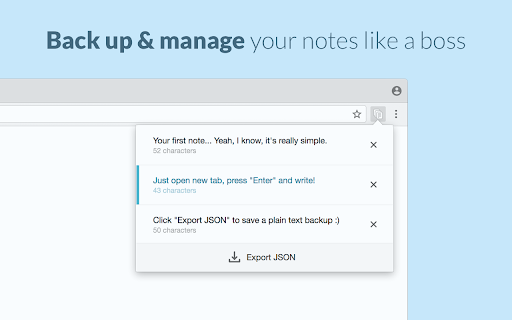
Fast and simple. Newtabs are now .txt files :D Although, it lacks very simple implementations. 1)You can backup your notes easily but it comes in a programming language, its pretty unreadable You cannot import it back. 2)No basic italic,bold etc. text formatting. 3)Accidentally delete your note and its gone forever. If 1) and 3) gets solved, i'd say its still a solid 5 star.
It's clean but: a) text should be somewhat centered and not so far to the left (ideally the user should control the amount of indentation); b) it needs basic formatting (like bold, italic, etc.) and c) saving to cloud storage; AUTO saving would be ideal! There is an extension called Noisli and it's better. You get to save your text, if you like, to: Dropbox and Google Drive. And with that extension you get to also listen to some nice relaxing music in the background. I would give Tab Notes another try if the developer does at least a) and c) from above. For now, it's removed.
Details
| Version | 0.9 |
| Updated | Apr 1, 2025 |
| Size | 119KiB |
| First Seen | Mar 22, 2026 |
Popular in workflow





Popular Extensions


