
⚠️Not updated in over 2 years
Description
Brackets is just one of more than 230 applications available in the cloud on rollApp. Check out the full list at https://www.rollapp.com/apps.
PLEASE NOTE:
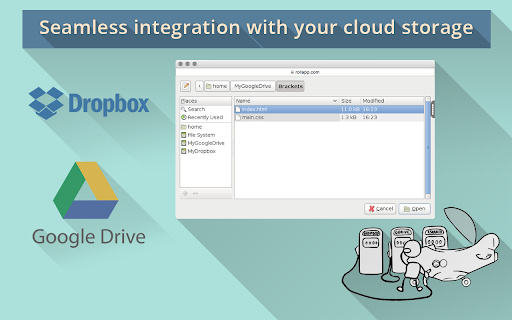
- Working with files requires creating account with rollApp and connecting cloud storage (Google Drive, Dropbox, OneDrive or Box)
- Free rollApp account allows to access your files in read-only mode. Please, subscribe for rollApp Premium to be able to save files
Key features of Brackets:
Inline Editors
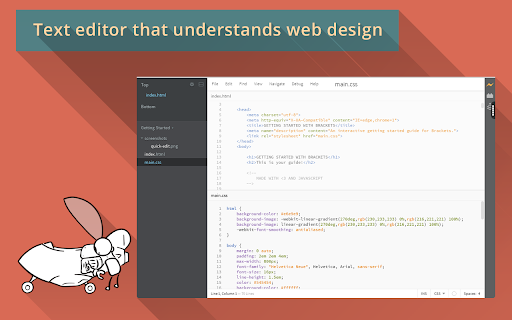
Instead of jumping between file tabs, Brackets lets you open a window into the code you care about most. Want to work on the CSS that applies to a specific ID? Put your mouse cursor on that ID, push Command / Ctrl+E and Brackets will show you all the CSS selectors with that ID in an inline window so you can work on your code side-by-side without any popups.
Live Preview
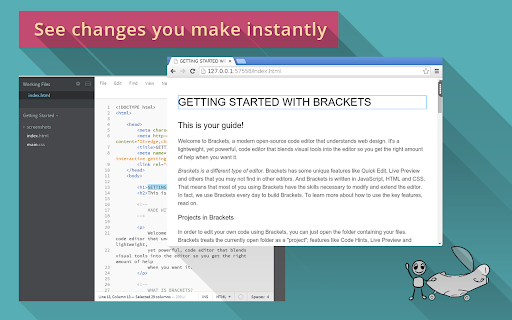
Get a real-time connection to your browser. Make changes to CSS and HTML and you'll instantly see those changes on screen. Also see where your CSS selector is being applied in the browser by simply putting your cursor on it. It's the power of a code editor with the convenience of in-browser dev tools.
Preprocessor Support
Work with preprocessors in a whole new way. We know how important preprocessors are to your workflow. That’s why we want to make Brackets the best code editor for preprocessors out there. With Brackets you can use Quick Edit and Live Highlight with your LESS and SCSS files which will make working with them easier than ever.
Reviews (6 cached)
★☆☆☆☆2022-04-10
Invasive Nuts
it is scam. it dont work u need to pay monez
★☆☆☆☆2019-04-14
Sam G
Please announce the free version has no ability to save work BEFORE i waste my time signing up to your product
★☆☆☆☆2019-01-10
Dave Allan G
Pointless unless you are paying to use this FREE software. What a waste of time. Install > Uninstall.
★☆☆☆☆2018-05-10
Glen Malan (Garrett)
locks almost everything behind a paywall to the point that there is no reason not to just use notepad instead of this it makes you wait 10 seconds before starting anything and bombards you with ads and won't let you save files to your computer and won't let you delete the pre-installed tutorial page
★☆☆☆☆2017-03-14
Amanda M.S.
It doesn't even open up a file.
★☆☆☆☆2016-06-12
Morel Williams
I can't open it, and I can't uninstall it to start from scratch.
Details
| Version | 1.0 |
| Updated | Mar 28, 2018 |
| Size | 8.71KiB |
| First Seen | Mar 26, 2026 |
More by rollApp, Inc.

Inkscape on rollApp
by rollApp, Inc.
30K
★ 2.94
Other
30K
★ 2.94
Other

OpenOffice Calc on rollApp
by rollApp, Inc.
10K
★ 3.92
Other
10K
★ 3.92
Other

LibreCAD on rollApp
by rollApp, Inc.
10K
★ 2.32
workflow
10K
★ 2.32
workflow

OpenOffice Draw on rollApp
by rollApp, Inc.
10K
★ 3.82
Other
10K
★ 3.82
Other

Scribus on rollApp
by rollApp, Inc.
6K
★ 2.00
Other
6K
★ 2.00
Other
Popular in developer

React Developer Tools
by Meta
5M
★ 3.95
developer
5M
★ 3.95
developer

Lighthouse
by lighthouse-extension-owners
1M
★ 4.42
developer
1M
★ 4.42
developer

Контур.Плагин
by kontur.extension
1M
★ 3.11
developer
1M
★ 3.11
developer

Similarweb - Website Traffic & SEO Checker
by Similarweb
1M
★ 4.66
developer
1M
★ 4.66
developer

Clear Cache
by Little Void LLC (Ben Bojko)
1M
★ 4.45
developer
1M
★ 4.45
developer
Popular Extensions

Adobe Acrobat: PDF edit, convert, sign tools
by Adobe Inc.
331M
★ 4.40
workflow
331M
★ 4.40
workflow

Chrome Remote Desktop
by Chrome Remote Desktop Release Managers
38M
★ 3.14
workflow
38M
★ 3.14
workflow

Microsoft Single Sign On
by Microsoft
36M
★ 2.27
workflow
36M
★ 2.27
workflow

Cisco Webex Extension
by cisco.chromestore
24M
★ 2.34
social
24M
★ 2.34
social

Kami for Google Chrome™
by Kami
19M
★ 4.56
education
19M
★ 4.56
education