Gmail Web Clipper by cloudHQ icon

Gmail Web Clipper by cloudHQ

by cloudHQ

v1.0.2.1 Updated Nov 29, 2025 598KiB
CWS
3K
Users
★ 4.59
49 reviews
#1884
of 33.8K
tools
#369 of 8.4K

Description

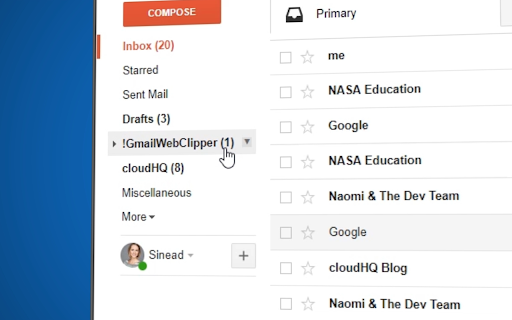
Save anything you see from web articles, texts, and snippets, directly in your Gmail. Free and simple. Give it a try today! Plus - save anything you want from the web like: ✔️ Articles, ✔️ Texts, ✔️ Images, and more! Everything is neatly saved in a Gmail label directly in your email. cloudHQ. Helping your productivity 1 click at a time. cloudHQ Website: https://www.cloudhq.net App Website: https://www.gmail-web-clipper.com/ Pricing: https://www.gmail-web-clipper.com/pricing Support page: https://support.cloudhq.net/category/browser-extensions/gmail-web-clipper/ Blog: https://blog.cloudhq.net Gmail, Google Shared Drive, Google Drive, and Google Workspace are trademarks of Google LLC. Use of these trademarks is subject to Google Permissions. cloudHQ is trademark of CloudHQ LLC. https://www.cloudhq.net/trademark
Gmail Web Clipper by cloudHQ screenshot 1Gmail Web Clipper by cloudHQ screenshot 2Gmail Web Clipper by cloudHQ screenshot 3Gmail Web Clipper by cloudHQ screenshot 4

Reviews (4 cached)

★☆☆☆☆2020-11-27
Codrin Popescu

Really like the idea, but the dealbreker for me was that it blocked certain Feedly elements (follow butoon).

★★☆☆☆2025-08-03
Mike G

Nice extension, but makes chatgpt unusable. Had issues with chatgpt site dimming and not allowing me to scroll or click anything. Only thing I was able to do was type in the chatbox. Cleared cache and it helped with a couple issues, but menus was not able to be clickable. Checked addons 1 by 1 and this 1 was the culprit. Everything worked normal with this addon disabled.

★★☆☆☆2025-07-23
Václav Koudele

The extension blocks loading Chatgpt in the paid version. You cannot switch models and tools in Chatgpt. If this problem is fixed, I will gladly change my rating to five stars.

★★☆☆☆2020-09-15
Jonathon Neville

Doesn't work on Facebook posts. I want to clip posts and comments. This only clips the author name and link, not the content of the post, and nothing from the comments. If you fix this, ChromeHQ, let me know and I'll change my rating.

Permissions (6)

Permissions

activeTab Can access the current tab when you click the extension background contextMenus Can add items to the right-click menu scripting Can inject scripts into web pages storage Can store data locally in your browser tabs Can see your open tabs and their URLs

Details

Version 1.0.2.1
Updated Nov 29, 2025
Size 598KiB
First Seen Mar 22, 2026