
Description
Reviews (85 cached)
not what i wanted
was hoping for a drawing app
it dose not even work i mean just terrible what a shame
this motherfracker doesnt fricking work
What. Was. That. It said compatable for my device, ummmm, ITS NOT TOUCHSCREEN! It sadi with a pixel screen... I have a pixel screen YOU CANT USE THIS APP
Not for an art student. The description made it seem like a legit drawing program. Would be good for kids or toddlers though
its terrible, if you do not have touch screen this is useless
aaaa
yeah, this thing sucks if your an art student. I was looking for a program for drawing beginners, but what I got was a program for drawing toddlers. If you want to use it for toddlers or special ed or something, go right ahead, but don't make me tutor the class
I hated it has no use with out touch screen stuff
omg i thought it would let me like touch my computer screen but NO!
not works u fools
does not work
it doesn't evan work for me
no work
Didnt work on my chrome book. it sucks, dont get
horrible and doesn't work at ALL
Why is this on the chrome store and you can get in on a chromebook but it doesn't even work? What the heck?! Doesn't even work!
it is note good to jot notes down on
I can't even draw!
STUPID
Doesn't work at all ... crap
it doesn't work u have to have tuch screen it is stupid
useless
Fail. I say that this a hoax because I tried to touch my screen. Didn't even work. I'm surprised I even tried this, whoever made this is an idiot.
DON'T WORK FOR CHROME BOOK OS!!!!
this is wroth no a thing it is so crappy i never want to see it ever again !!!!!!!!!!!!!!!!:( :( :(
it doesnt work.
it says to touch screen but it is not working
stupid
it doesnt even work
kyle possed tis one too :)( mostash
it doesn't work whyyyyyyyyyy.......
it won't even work on my chromebook. Waste of time, I say.
does not work :P
it won't work on my compututer and i can not get rid of it it will not let me get rid of it
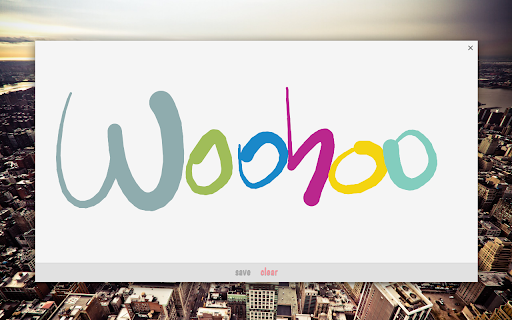
I have a lenovo spa 2, and while this worked for my computer, it was the most useless app I have ever downloaded. There appears to be no way to control what colour you use (it changes with each stroke), and there is no way to adjust pen size. No eraser. As someone else said in their review it is way to simplistic and really just a fingerpainting app.
While it is a cool idea, there is no option or feature for non-touchscreen chromebooks.
is it even possible to delete?!
its boring
It doesn't work on my HP Chromebook...
I cant use it but still...I dont think its too good. Well its just I dont have a touchscreen.
Doesn't work, not even on my chromebook. But how could it, if your screen isn't touchscreen? If your screen isn't touchscreen, it wouldn't work because it wouldn't be able to feel the pressure or whatever. That's all I got to say about this app. Wouldn't waste my time downloading this.
doesnt work how do i delete it?
i cant even do any thing
Doesn't work!!!
If you want an app like this you have to have a tablet.
i cant choose colors or thickness, i cant erase one part very dissapointed
On my Chrome this app just..... does not work!!!
words from the famous Rosa Parks "no."
Permissions (2)
Permissions
Details
| Version | 1.2 |
| Updated | Apr 18, 2013 |
| Size | 27.38KiB |
| First Seen | Mar 30, 2026 |
More by François Beaufort



Popular Extensions




