
Description
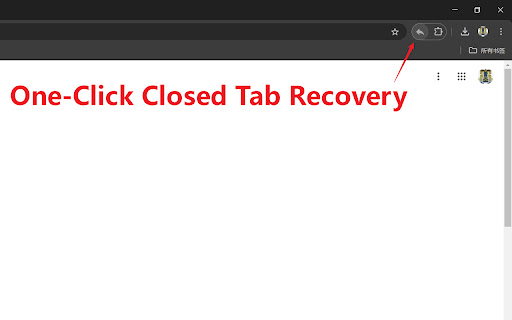
Tired of accidentally closing important tabs and not being able to quickly retrieve them? Our extension allows you to reopen recently closed tabs with just one click! No need to memorize complicated shortcuts or click multiple times. Simply click the extension icon to easily get back what you need! In addition, you can customize the extension icon to make your browser reflect your personal style! Right-clicking also provides a history menu for quick access. 🎨
Changelog:
Version 3.63 (2026-01-21): Right-clicking anywhere on the webpage can now also display the history menu.
Version 3.61 (2025-07-24): Added keyboard shortcut settings guide, supporting the configuration of multiple shortcuts for launching extensions.
Version 3.6 (2024-11-30): Added a default-enabled option to conveniently use the extension in Incognito Mode.
Version 3.5 (2024-11-20): Added right-click history menu and optimized the user experience.
Version 3.0 (2024-10-27): Optimized details and added an option in settings to restore tabs using the Chrome API (restored tabs retain history, allowing forward and backward navigation).
Version 2.1 (2024-10-19): Fixed some bugs. Now, closed tab records will be saved even after closing Chrome, up to 1000 entries. Feel free to make requests and provide feedback; we will continue to update!
🔄 Upgraded to Manifest V3 and fixed some issues.
Experience a more convenient browsing experience and say goodbye to the frustration of lost tabs! Try it now! 🎉
Reviews (3 cached)
★☆☆☆☆2024-10-29
Maged Khatab
Stopped working on Incognito mode. Please fix it.
★☆☆☆☆2023-06-02
Samuele gg
Doesn't work
★☆☆☆☆2021-03-02
Chris Vydas
Was the only one that worked for me on mobile chromium. Stopped working after chrome update.
Permissions (4)
Permissions
contextMenusℹ Can add items to the right-click menu sessionsℹ Can access recently closed tabs and windows storageℹ Can store data locally in your browser tabsℹ Can see your open tabs and their URLs
Details
| Version | 3.63 |
| Updated | Jan 22, 2026 |
| Size | 124KiB |
| First Seen | Mar 27, 2026 |
Popular in workflow

Adobe Acrobat: PDF edit, convert, sign tools
by Adobe Inc.
331M
★ 4.40
workflow
331M
★ 4.40
workflow

AdBlock — block ads across the web
by AdBlock
63M
★ 4.48
workflow
63M
★ 4.48
workflow

迅雷下载支持
by Shenzhen Xunlei Network Technology Co., Ltd.
59M
★ 2.77
workflow
59M
★ 2.77
workflow

Adblock Plus - free ad blocker
by eyeo GmbH
41M
★ 4.39
workflow
41M
★ 4.39
workflow

Chrome Remote Desktop
by Chrome Remote Desktop Release Managers
38M
★ 3.14
workflow
38M
★ 3.14
workflow
Popular Extensions
Adobe Acrobat: PDF edit, convert, sign tools
by Adobe Inc.
331M
★ 4.40
workflow
331M
★ 4.40
workflow
AdBlock — block ads across the web
by AdBlock
63M
★ 4.48
workflow
63M
★ 4.48
workflow
迅雷下载支持
by Shenzhen Xunlei Network Technology Co., Ltd.
59M
★ 2.77
workflow
59M
★ 2.77
workflow

Grammarly: AI Writing Assistant and Grammar Checker App
by Grammarly
42M
★ 4.50
communication
42M
★ 4.50
communication
Adblock Plus - free ad blocker
by eyeo GmbH
41M
★ 4.39
workflow
41M
★ 4.39
workflow