
Table Range Select & Copy (Like in Firefox!)
Description
Reviews (13 cached)
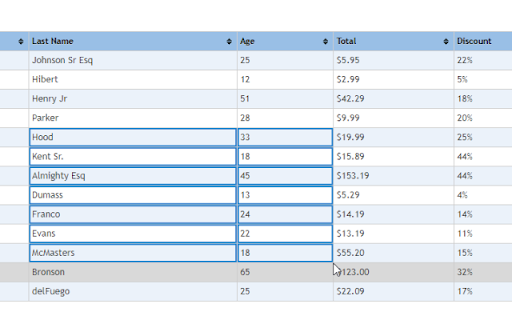
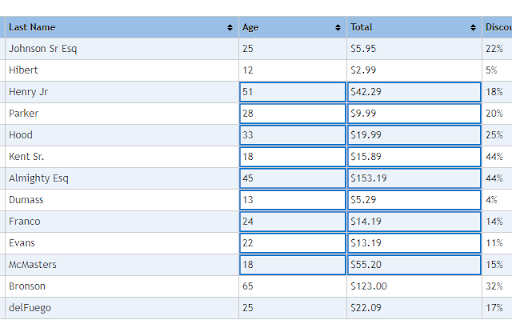
Doesn't quite work. Like others said, second row is not selected for some reason. It gets confused by header TH tags or something.
It skips the first row when copying (on Windows).
More garbage
doesn't work
Like many have stated, the first cell can not be selected in the range.
In Mozilla Firefox, a table range can be selected even if it does not completely fit within the frame. This add-on does not allow you to select such ranges; automatic scrolling as you select does not work.
This has Two Serious Bugs. 1 It will embed a " javascript-event-stripped" entry into whatever you copy paste it, and it will appear visibly sometimes making errors in your edits entries etc. 2 Sometimes it will not Highlight what you pass the mouse over, causing you to have to move the mouse over that line again to ensure its selected. 3 - nit pick, it should inform you that contents were copies successfully to clipboard. The highlight just disappears as the only indication it was copied.
Very similar to FF but not quite. 1. It does not scroll the window to select rows/columns that are not visible. 2. It will not pick both the table title and table rows. Hopefully it is updated in the future so I can try again sometime. Unfortunately, being removed from Chrome for now.
doenst work on much sites :(
While the extension does enable selection of range, column or row, the pasted output is all in one row, which makes it rather pointless...
Doesnt work fine on MacOs.
It helps out if needed and you are stuck with Chrome. Unfortunately, it pastes a single cell (copied with Ctrl+Click or Alt+Click) as plain text with no line breaks and other formatting. That makes it useless for me. I hope for this feature in a future release.
Seemed to select nicely, but didn't seem to copy. Only gave it a limited trial.
Details
| Version | 1.5.18 |
| Updated | Mar 5, 2025 |
| Size | 7.67KiB |
| First Seen | Mar 27, 2026 |
Popular in workflow




Popular Extensions
