
Description

Reviews (60 cached)
Wanted to record browser tabs which it does support but it interrupts and stops the recording without me doing anything. Very annoying.
It got stuck at preparing recording and everything else I tried doesn't work....seems like I lost the whole recording 😭😭😭😭😭
Used to be good, but since the addition of new paid features it became bad. Just had to retake 3 times my 20 minutes because switching tabs broke the recorder. And now everything seemed to have worked, but at exporting only a one sec video is exported
The videos ended up completely wrong! Audio from one section ended up randomly appearing somewhere else!
does not work, support service does not answer !
doesn't work, keep asking for permission if after granted
It's stuck when recording.
Terrible. Keeps deleting content or not giving an option to download as MP4, and file downloads without audio. Waste of time
The old version was very good, to record and to safe in Google Drive. This new version record the video but when it's finished don't save it in drive. Only it works when I've just recorded 10 minuts or so, when I try with longer videos doesn't work.
Contact me. I recorded a 43 minute video. Everything was good to go, it was processing showing me the video was 43 mins. Once it was done the video was only 16 mins long - everything after that was gone. I clicked download an received two video. 1 that says it's 43 mins long but only plays for 4 seconds before shutting down and another that is the 16 mins I can see on your dashboard. What the heck happened?! Waste time time. :( So disappointed.
it isn't working well and too buggy to use!
Is it even working? I tired saving a video three times today, faced three major issues. 1. No audio capture 2. Somewhoe speeds up the video to a 0-2 second video clip, without sound 3. Doesn't allow me to use the pen tool
There are a lot of bugs, for example if I record a 5 second screen record but somehow it ends up 1.57s recording. Also if you download it MP4 format and play with VLC, it shows visible buffers and glitches. I tried uninstalling it installing it it didn't fix
Quicktime or adobe media encoder won't recognize any of these file formats, even the mp4
Unable to download or save to drive, the remove part of the video crashing the whole video to a black screen. Tried another extension, everything worked fine.
not working anymore
ABSOLUTELY A PIECE OF JUNK. IT USED TO BE GOOD. CHANGED TO NEW CHROMEBOOK AND NOW AFTER RELOADED APP IT IS HORRENDOUS. WILL NOT RECORD EVEN AFTER MULTIPLE RELOADS.
Not working
Its not working for me! Why? can't they stop scamming?
To be honest, this was a fair waste of time! I thought it was a good platform in which I could do unlimited screen recording and other awesome tools, but I did have many problems! First, after I started screen sharing it wouldn't let me stop! After tapping the STOP SHARING button about a hundred times I decided that I had to literally uninstall the extension from the web store! Second, it kept saying my camera and microphone were disabled although they were not. I've heard so many good reviews on this...but I can't agree! I wish I could! I'll stick to Screencastify. I'm fairly dissapointed.
I just made a screen recording (too bad the icons in the left corner are part of the recording, but oh well), but as soon as I tried to import the video in Microsoft Foto´s I get an error that there are "unreadable elements" (onleesbare eigenschappen) so I can´t edit the video.
It places a huge blue circle in the top left corner obscuring the screen and spoiling the presentation. Cannot find a way to remove this eyesore. This flaw renders this tool completely useless in creating a tutorial video. Reviewing the video it has actually recorded the eyesore for everyone to see. Why? Makes no sense at all. The concept is good. Just why put a big eyesore that cannot be moved offscreen or hidden just makes no sense. So even if all the rest of the software works well, it just cannot be used for any practical purposes.
It simply doesn't start recording and once I hit stop recording it doesn't perform any action. Moreover I disabled webcam and my webcam LED light is indicating entire time the webcam is active. Uninstalling after 10minutes
It wont let me mute my mic and is very laggy
It didn't work for me I tried refreshing about five times and it still did not work. If you are trying to find a good screen recorder this is not it. It is a waste for space and I am going to delete it right now after this .
Didn´t work for me, the exported files were corrupted
After i record anything and go into the editing area, almost all of the recorded footage is nonexistent! The video plays from a few minutes before the end and the time says, for example, 6:12/ 0:00. I've tried making the file size smaller, waiting over night to see if anything happens, and deleting and reinstalling the extension, nothing worked! I haven't been able to find this error online. If I you answer with a fix then i will put the rating up, but until then i must put one star.
It automatically omits some parts of the video while downloading. The video downloaded does not has the capacity to scroll forward and backward.
Don't really know what went wrong but my laptop froze and I had to restart it.
Cannot use the computer voice during the recording.
I love it! way better than Loom, however, when I'm recording and switching between tabs, the toolbar doesn't show up. 😭
It doesn't capture my camera, just keeps loading. Neither my Laptop's camera, nor when I use DroidCam to share my phone's camera.
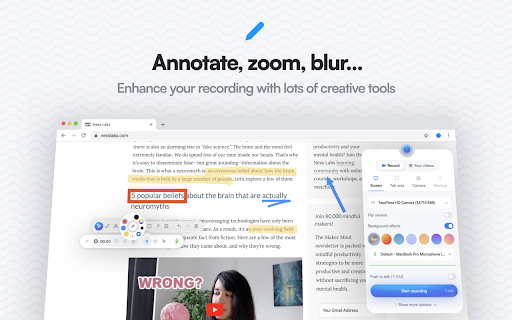
I am trying to use this tool to make annotations on a website and it's not showing the tool bar once I get to the screen of the website that I want to make annotations on
The new version is not saving the video at all. The previous version was caching the video to the hard drive, so it was available immediately. The new version doesn't seem to do it (at least it didn't ask, where to save), and after the recording is complete it's stuck on "The video is processing... Upgrade for faster editing" (it was a 15-second long test recording, so the size is not an issue).
It doesn't work, maybe the problem with the current version on the store.
Download as GIF is not working
It is simple and work on screen. I can download the mp4, but I can not play it as the mp4 format is different with the normal one. Therefore, it is useless for me.
It worked fine, until they made the control bar show up in the video and never disappear. Now it's useless.
it can't record on apps and i have been looking for 2 hours for an extension that can. i wanted to do a roblox obby video but i can't.
Every so often video is empty and corrupted.
At the bottom of extension window, always and only shows "can't record this page", whatever I chose and it is useless on my laptop.
it doesn't work on my laptop and there is no options available it's locked. And where did the videos go after recording?? maybe it works fine for phones but it did not work on my desktop
There was a lot of backgroung noise while i was recording the video.
Sometimes the videos created by this extension can not be seeked to a specific point in the video. Why?
Looks good and smells good but keyboard shortcuts would make it more attractive.
Please add the share link option otherwise it's a great extension
It cannot get the webcam/microphone device and cannot record the video in my M1 macbook.
I appreciate that this is a completely free and advertise-free app for recording, and it looks super easy to use. However, After I record myself I can't hear any sound from the recording, even though my Mic was on and permission was granted. What could be wrong then?
After start recording, I'm not able to click on some menu, buttons etc. Overall it's very good but please fix this issue asap.
How can I use the annotation?
Permissions (13)
Permissions
Details
| Version | 4.3.4 |
| Updated | Mar 21, 2026 |
| Size | 21.24MiB |
| First Seen | Mar 27, 2026 |
More by Alyssa X

Popular in workflow




Popular Extensions
