
Mobicip Parental Control with Screen Time
v4.1.2 Updated Mar 12, 2025 657KiB
⚠️Not updated in over a year ⚠️Requests 1 sensitive permission
User Count Trend
Loading...
Description
Mobicip is the most popular Internet filter and screen time parental control software for families to enjoy a safe and secure experience on Chromebook.
With Mobicip, parents can:
- Filter the internet & block objectionable content
- Limit screen time
- Monitor browsing history & online activity
- Use intuitive web portal or mobile app in Parent Mode, 24x7 on the go
Take charge of your family’s digital experience! Enjoy quality family time with Mobicip, the perfect app for today’s “constantly connected” digital family.
1. Set daily screen time limits on your child’s Chromebook to ensure healthy levels of digital immersion and manage bedtime and family time; or set recurring weekly screen time schedules.
2. Block websites, keep a watchful eye and draw a healthy boundary around the web. Stay on top of the usage/browsing history to spot online threats. Block pornography, gambling, violence and other inappropriate web content.
3. Instantly lock all devices for dinnertime or family-time.
4. Check your kids' browsing history on the go or set up weekly or daily reports to see a snapshot of their browsing trends.
5. Invite another parent to help manage and be informed of your kids' digital experience and ensure digital safety.
6. Keep track of the entire family's devices through an intuitive dashboard on the web or mobile 24x7 on the go.
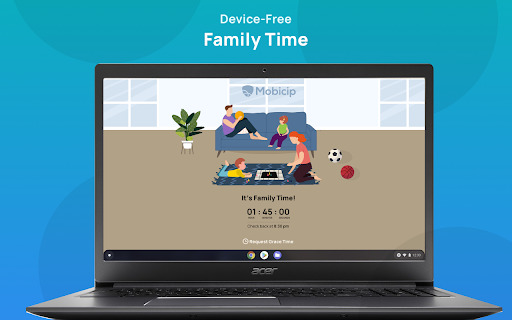
FAMILY TIME
Family Time allows parents to lock down all the family devices instantly with a single touch for a certain period. Now family meals, bedtimes, family interactions and outdoor time can be completely device-free & without distractions!
CROSS-PLATFORM PROTECTION
As your children and teens move across a wide variety of devices, Mobicip allows you to monitor and control all such devices irrespective of the platform or OS.
“Mobicip is designed for the modern multi-device family, and its range of supported platforms is impressive” - PCMag.
PRICING PLANS
Parents can choose from our annual pricing bundles: $49.99 for 5 devices, $89.99 for 10 devices, $124.99 for 15 devices, & $159.99 for 20 devices. As an introductory offer, the 5-device plan is offered at $39.99 per year.
HELP & SUPPORT
Please visit our helpdesk (www.mobicip.com/support) for how-tos, videos, and articles. For additional assistance, contact us at support@mobicip.com.



Reviews
Loading reviews...
Permissions (9)
Permissions
alarmsℹ Can schedule periodic background tasks declarativeNetRequestℹ Can block or redirect network requests identityℹ Can use your Google account identity identity.email idleℹ Can detect when you're away from the computer managementℹ Can manage other installed extensions proxyℹ Can configure proxy settings storageℹ Can store data locally in your browser tabsℹ Can see your open tabs and their URLs
Details
| Version | 4.1.2 |
| Updated | Mar 12, 2025 |
| Size | 657KiB |
| First Seen | Mar 21, 2026 |
Ad space
Popular in workflow

Adobe Acrobat: PDF edit, convert, sign tools
by Adobe Inc.
330M
★ 4.40
workflow
330M
★ 4.40
workflow

Chrome Remote Desktop
by Chrome Remote Desktop Release Managers
38M
★ 3.14
workflow
38M
★ 3.14
workflow

Microsoft Defender Browser Protection
by Microsoft Corporation
2M
★ 4.15
workflow
2M
★ 4.15
workflow

Pop up blocker for Chrome™ - Poper Blocker
by dingosolutions
2M
★ 4.76
workflow
2M
★ 4.76
workflow

Screen Recorder
by Erich Behrens
2M
★ 3.75
workflow
2M
★ 3.75
workflow
Popular Extensions
Adobe Acrobat: PDF edit, convert, sign tools
by Adobe Inc.
330M
★ 4.40
workflow
330M
★ 4.40
workflow
Chrome Remote Desktop
by Chrome Remote Desktop Release Managers
38M
★ 3.14
workflow
38M
★ 3.14
workflow

Cisco Webex Extension
by cisco.chromestore
24M
★ 2.34
social
24M
★ 2.34
social

Kami for Google Chrome™
by Kami
17M
★ 4.56
education
17M
★ 4.56
education

Read&Write for Google Chrome™
by Texthelp
17M
★ 3.44
accessibility
17M
★ 3.44
accessibility