
⚠️Not updated in over 2 years
Description
Charlotte aims to make the web more accessible by providing a suite of accessibility tools, all in one handy browser extension. Create an account with us, sign in, and you're ready to go!
Features
• Select from a choice of 6 text-to-speech voices, adjust pitch and reading speed.
• Highlight text by hovering over them, using our Highlight Elements functionality.
• Use keyboard shortcuts (Alt+Left, Alt+Right) to navigate the page and highlight portions of text
• Use Read on Highlight to read highlighted text aloud (integrates with Highlight Elements and keyboard shortcuts)
• Change font size, on a sliding scale from native to 200%
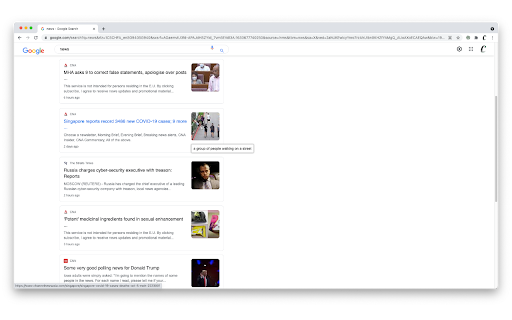
• Provide image captions on mouse-over, powered by our remote machine learning algorithm
• Increase cursor size to improve visibility
• Enable High Contrast mode, for easier browsing
• Change your font to a host of options, including reader-friendly sans-serif options and OpenDyslexic
• Focus easier with Focus Ruler
Some functionalities such as Image Captioning is only available to users with an account.
To navigate Charlotte without using a mouse, we also have implemented keyboard shortcuts:
• Alt+A: Enable accessibility features*
• Alt+Left: Select the previous text element
• Alt+Right: Select the next text element
*Please note that for security purposes, accessibility features cannot be enabled before user interaction (either through this shortcut or by clicking on our extension icon).
About Us
We originally developed Charlotte for the Tech 4 Good Festival by Engineering Good, Singapore. We believe the web is for everyone, and continue to maintain Charlotte in that spirit.
Privacy
Our extension is configured with the minimum permissions required for it to function properly.
View our privacy policy here: https://www.charlotteweb.io/privacy-policy
Support
Charlotte is still in beta development. Do reach out to us at charlotteaccessibility@gmail.com for feedback, or to find out more!


Reviews
Loading reviews...
Permissions (4)
Permissions
activeTabℹ Can access the current tab when you click the extension contextMenusℹ Can add items to the right-click menu scriptingℹ Can inject scripts into web pages storageℹ Can store data locally in your browser
Details
| Version | 0.5.0 |
| Updated | Oct 13, 2021 |
| Size | 2.65MiB |
| First Seen | Mar 31, 2026 |
Popular in accessibility

Read&Write for Google Chrome™
by Texthelp
17M
★ 3.44
accessibility
17M
★ 3.44
accessibility

360 Internet Protection
by qihoosafe
17M
★ 4.54
accessibility
17M
★ 4.54
accessibility

Screenshot reader™
by Texthelp
7M
★ 2.57
accessibility
7M
★ 2.57
accessibility

OrbitNote
by Texthelp
7M
★ 2.95
accessibility
7M
★ 2.95
accessibility

Volume Master
by Peta Sittek
6M
★ 4.81
accessibility
6M
★ 4.81
accessibility
Popular Extensions

Adobe Acrobat: PDF edit, convert, sign tools
by Adobe Inc.
331M
★ 4.40
workflow
331M
★ 4.40
workflow

AdBlock — block ads across the web
by AdBlock
62M
★ 4.48
workflow
62M
★ 4.48
workflow

迅雷下载支持
by Shenzhen Xunlei Network Technology Co., Ltd.
59M
★ 2.77
workflow
59M
★ 2.77
workflow

Grammarly: AI Writing Assistant and Grammar Checker App
by Grammarly
42M
★ 4.50
communication
42M
★ 4.50
communication

Adblock Plus - free ad blocker
by eyeo GmbH
41M
★ 4.39
workflow
41M
★ 4.39
workflow