
⚠️Not updated in over a year
Description
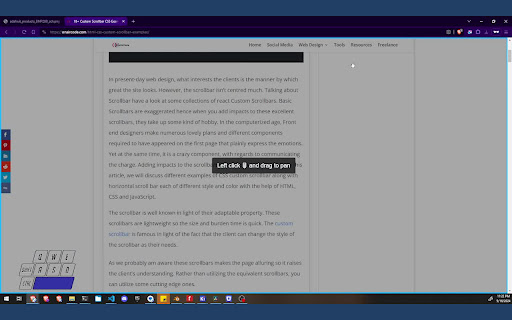
Use spacebar and your mouse to pan up, down, left, and right in the browser window with precision. Works with oversized images (zoomed in) and regular websites.
Will likely feel familiar to Photoshop users.
*Note: This does not work with PDF files in the browser as they are displayed in an isolated component.


Reviews
Loading reviews...
Permissions (1)
Permissions
storageℹ Can store data locally in your browser
Details
| Version | 1.1 |
| Updated | Jun 14, 2024 |
| Size | 83.73KiB |
| First Seen | Mar 28, 2026 |
More by Mike

HyperBulk
by Mike
2K
★ 3.79
functionality
2K
★ 3.79
functionality

Scroll Bar Pin
by Mike
35
★ 0.00
workflow
35
★ 0.00
workflow

Bolt - Job Application Tracker
by Mike
26
★ 5.00
workflow
26
★ 5.00
workflow

TypeRacer Car Customizer
by Mike
22
★ 0.00
functionality
22
★ 0.00
functionality

Address Bar Plus
by Mike
7
★ 0.00
developer
7
★ 0.00
developer
Popular in workflow

Adobe Acrobat: PDF edit, convert, sign tools
by Adobe Inc.
331M
★ 4.40
workflow
331M
★ 4.40
workflow

AdBlock — block ads across the web
by AdBlock
62M
★ 4.48
workflow
62M
★ 4.48
workflow

Adblock Plus - free ad blocker
by eyeo GmbH
41M
★ 4.39
workflow
41M
★ 4.39
workflow

Chrome Remote Desktop
by Chrome Remote Desktop Release Managers
38M
★ 3.14
workflow
38M
★ 3.14
workflow

Microsoft Single Sign On
by Microsoft
36M
★ 2.27
workflow
36M
★ 2.27
workflow
Popular Extensions
Adobe Acrobat: PDF edit, convert, sign tools
by Adobe Inc.
331M
★ 4.40
workflow
331M
★ 4.40
workflow
AdBlock — block ads across the web
by AdBlock
62M
★ 4.48
workflow
62M
★ 4.48
workflow

Grammarly: AI Writing Assistant and Grammar Checker App
by Grammarly
42M
★ 4.50
communication
42M
★ 4.50
communication
Adblock Plus - free ad blocker
by eyeo GmbH
41M
★ 4.39
workflow
41M
★ 4.39
workflow
Chrome Remote Desktop
by Chrome Remote Desktop Release Managers
38M
★ 3.14
workflow
38M
★ 3.14
workflow