
⚠️Not updated in over 2 years
Description
Based on your feedback, Version 1.0.2 was updated to automatically save your Canvas Information on your browser. This data is not stored by the extension and is instead stored locally.
------
Are you tired of manually adding assignments to your personal calendars and to-do lists one by one? Are you looking for new people to study with? Canvas Assistant can help!
Canvas Assistant provides students with a new way to manage their Canvas coursework in a more efficient and organized way. With the click of a single button, users can add their Canvas assignments to their personal calendars, generate to-do lists for their upcoming coursework, and find new study buddies.
The extension offers three primary features:
- Sync Your Calendar: Creates an .ics file of your upcoming Canvas assignments, which you can easily add to your iCalendar, Google Calendar, or Outlook Calendar!
- Generate a To-Do List: Creates a .csv file of your upcoming Canvas assignments which can be used on its own or imported into the task-management application of your preference!
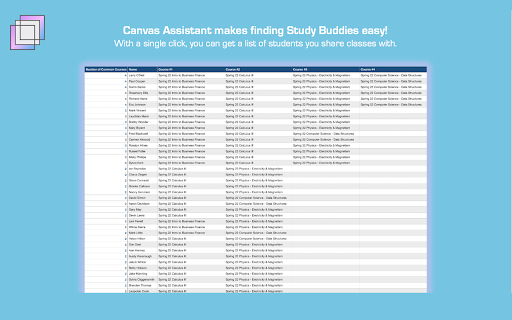
- Find Study Buddies: Creates a .csv file listing students that you share common courses with, taking the hassle out of finding people to study with!
Developed by students, for students. If you have any inquiries about the extension, reach out to us at canvasassistantinfo@gmail.com.



Reviews (2 cached)
★☆☆☆☆2026-03-03
Sienna Kuta
Team who created it no longer seems to be active, the links take you to blank pages and the extension has not been updated in a long time. A shame because this is an amazing idea. I wish it existed.
★☆☆☆☆2024-04-24
Therese Wolff
My school isn't listed and when I click the 'Click here if you can't find your school' hyperlink, it just takes me to a blank page
Details
| Version | 1.0.2 |
| Updated | Apr 11, 2022 |
| Size | 2.14MiB |
| First Seen | Mar 27, 2026 |
Popular in workflow

Adobe Acrobat: PDF edit, convert, sign tools
by Adobe Inc.
331M
★ 4.40
workflow
331M
★ 4.40
workflow

AdBlock — block ads across the web
by AdBlock
62M
★ 4.48
workflow
62M
★ 4.48
workflow

迅雷下载支持
by Shenzhen Xunlei Network Technology Co., Ltd.
59M
★ 2.77
workflow
59M
★ 2.77
workflow

Adblock Plus - free ad blocker
by eyeo GmbH
41M
★ 4.39
workflow
41M
★ 4.39
workflow

Chrome Remote Desktop
by Chrome Remote Desktop Release Managers
38M
★ 3.14
workflow
38M
★ 3.14
workflow
Popular Extensions
Adobe Acrobat: PDF edit, convert, sign tools
by Adobe Inc.
331M
★ 4.40
workflow
331M
★ 4.40
workflow
AdBlock — block ads across the web
by AdBlock
62M
★ 4.48
workflow
62M
★ 4.48
workflow
迅雷下载支持
by Shenzhen Xunlei Network Technology Co., Ltd.
59M
★ 2.77
workflow
59M
★ 2.77
workflow

Grammarly: AI Writing Assistant and Grammar Checker App
by Grammarly
42M
★ 4.50
communication
42M
★ 4.50
communication
Adblock Plus - free ad blocker
by eyeo GmbH
41M
★ 4.39
workflow
41M
★ 4.39
workflow