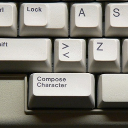
Description
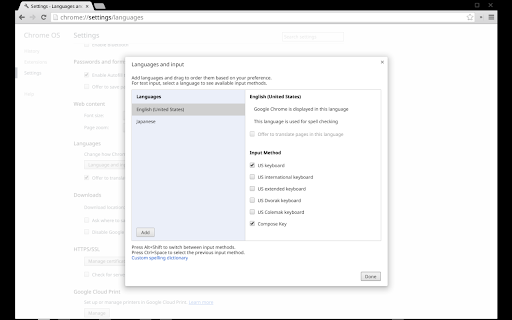
Reviews (13 cached)
No longer works on Chrome OS & Chrome OS Flex version Version 99.0.4844.94
You need a PhD in computer science to be able to use it
Does not work at all. There is no such setting as chrome://settings/inputMethods. I have been through every nook and cranny of "Settings" (which the above URL brings up) and there just is no input methods setting.
36.0.1985.143 (Official Build 287914) completely non-functional with en au, control & alt switched, or control & alt normal. 37 completely functional 38.0.2125.58 (Official Build 09ed918) beta non-functional when alt and control switched. This makes it useless for users used to OS X control / alt positioning.
When I press the right alt button on my keyboard, NOTHING HAPPENS someone pls help?:)
It worked (though clunky compared to single compose key) but has now stopped working. chromeos seems to treat accented character users as real second class citizens.
I've used it lightly with no problems, but I caught it using 1GByte of RAM in Task Manager so I disabled it.
Works fine with CrOS 85, though honestly it would be so nice to be able to use the Search key for this purpose, as (just like Caps Lock) I don't use it for anything. For that reason I've used Caps Lock as my Compose key on all other platforms, to the left of A.
It works for me.... (á é ų ñ) but I have to uncheck "Keep Modifier" checkbox in the extension's options. But there is a huge problem.... I have to uncheck the checkbox every time my chromebook restarts.
OKAY PROGRAM
First of all, it add additional keyboard layout. I would like if it worked on all keyboard layouts. Also it uses right alt. I'd like to use right ctrl.
V1.1: switched to Right Alt for Compose Key (didn't work on previous versions of Chrome OS).
It feels weird having to use two keys to trigger compose. I've had right-alt as my compose key for 15 years, so adjusting to shift+right-ctrl is a hard muscle memory shift. It's extra complicated because this isn't a standard sequence that you can just set in Gnome.
Permissions (2)
Permissions
Details
| Version | 2.0 |
| Updated | Mar 26, 2026 |
| Size | 34.65KiB |
| First Seen | Mar 31, 2026 |
More by chrome-input-extensions



Popular in workflow




Popular Extensions
