
Description

Reviews (16 cached)
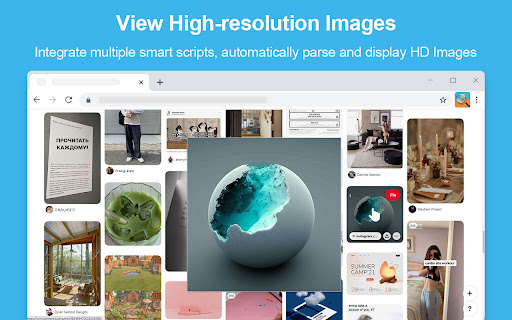
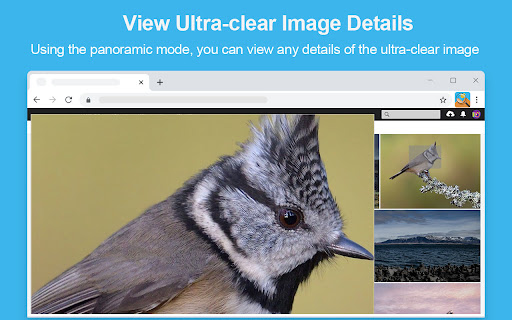
Does not actually provide any zoom-in function. It can zoom out, label an image with its size and title, and perform the same function as you'd get from right-clicking on an image and saving it the normal way.
does not work. it does nothing
Why reading browsing history? Also cases cloudflare loop
Super lame
Dude it doesn't zoom anything... just shows the exact image above the other. even in the settings there's no option that enables zooming.. should be named image viewer instead
so far this is really hard to use.
Screw cloudflare verification and other sites. If solved, I will update review.
It's alright. But there's not an option to block sites under extension options! You can only manually add the site when you're on it after clicking on the extension icon. Additionally, it oddly makes it hard to pass human verification! It'll continuously reload even after a successful check off. I have to turn the extension off before I enter a site that requires it.
Haven't tested it extensively, but it doesn't enlarge a god damn image!!
It removed video controls on Twitter. With Photo Zoom running. - https://i.imgur.com/06dXZsD.png With Photo Zoom disabled. - https://i.imgur.com/0LkxZHZ.png
CAUSES CLOUDFLARE VERIFICATION LOOP ERROR! sadly works really well on Instagram though
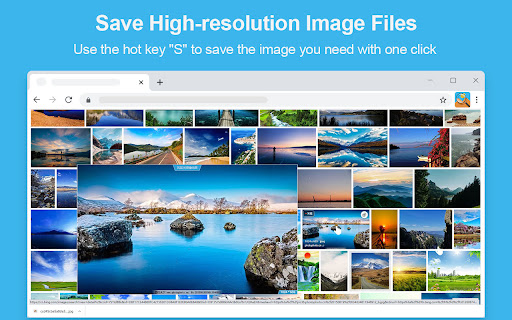
The Cloudflare loop this extension creates is really annoying. I primarily use the extension for the image save shortcut to save a bit of time gathering reference material. But since Cloudflare is on so many sites now, the loop you are stuck in unless you deactivate the extension is not fun to deal with constantly.
Well it does work a tad better than Photo Show, but it has the same limitations. It won't show the LINKED large image from pages with thumbs. It will ONLY zoom the thumb itself. We have to manually visit the thumb linked page to get it to zoom that linked image if it really is bigger than our actual screen resolution. Otherwise it won't zoom anything either. The only plus over PhotoShow is that it centers the zoomed image instead of using remaining screen space. But because of the thumb zoom limitation and not actually showing the linked image. I'm giving it a 3-star rating just like PhotoShow.
This extension has potential but sadly lacks the finesse to make it truly useful. For example, the zoomed image is the same size as the original and even if you change it in the settings, it still doesn't provide a big enough zoomed image. So far I've only used this on Amazon and although the corresponding high-resolution image is clearly available manually, this extension is not showing it to me. Needs more work if it's ever to equal the abilities of an old favourite called 'IMAGEUS' which many of you will know has recently stopped working in Chrome.
Shame... It works far smoother than Imgur but sadly it doesn't operate with eBay. Also, it doesn't allow for enlarging images, it enlarges them only to a set size according to the given size of the image itself. I would love for this extension to be updated, and more frequently to both increase its functionality as well as include commonly used websites, but it doesn't seem to be done. The last update was in January of 2022.
It removed video controls on Twitter. This add-on is the best add-on in all browsers, and I was hoping that it would work with Twitter without problems, but unfortunately I stopped it temporarily until the developer finds a solution to this problem.
Permissions (5)
Permissions
Details
| Version | 1.2.1 |
| Updated | May 10, 2024 |
| Size | 1.59MiB |
| First Seen | Mar 29, 2026 |
More by extfan



Popular in workflow




Popular Extensions
