
⚠️Not updated in over a year
Description
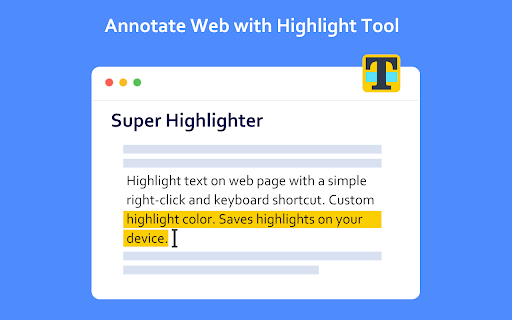
Highlight text on websites with a simple right-click or keyboard shortcut. Saves highlights on your device.
Easiest way to highlight text on any webpage! Simply select text, then right click it to select the "Highlight" option. Alternatively, use the default keyboard shortcut 'Alt+H'.
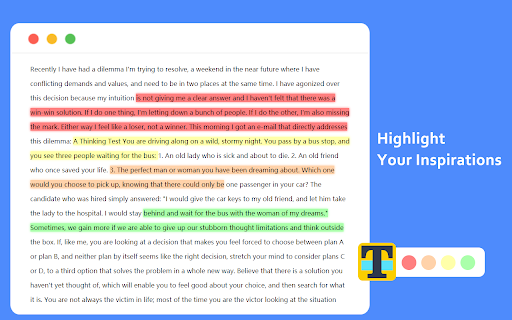
You can customize the colors of the highlighter, and you can switch these colors through shortcut keys.
You can customize shortcut keys and use all functions without mouse.
All highlighted texts are saved so that your highlights are not lost when exiting a page! Simply re-opening that page will bring back all the highlights.
Reviews (1 cached)
★☆☆☆☆2025-07-05
John Reid
What does this extension do? Please explain clearly. Tried it, could not see any results.
Permissions (3)
Permissions
contextMenusℹ Can add items to the right-click menu scriptingℹ Can inject scripts into web pages storageℹ Can store data locally in your browser
Details
| Version | 1.2.2 |
| Updated | May 23, 2024 |
| Size | 93.35KiB |
| First Seen | Mar 29, 2026 |
More by extfun


Popular in workflow

Adobe Acrobat: PDF edit, convert, sign tools
by Adobe Inc.
331M
★ 4.40
workflow
331M
★ 4.40
workflow

AdBlock — block ads across the web
by AdBlock
62M
★ 4.48
workflow
62M
★ 4.48
workflow

Adblock Plus - free ad blocker
by eyeo GmbH
41M
★ 4.39
workflow
41M
★ 4.39
workflow

Chrome Remote Desktop
by Chrome Remote Desktop Release Managers
38M
★ 3.14
workflow
38M
★ 3.14
workflow

Microsoft Single Sign On
by Microsoft
36M
★ 2.27
workflow
36M
★ 2.27
workflow
Popular Extensions
Adobe Acrobat: PDF edit, convert, sign tools
by Adobe Inc.
331M
★ 4.40
workflow
331M
★ 4.40
workflow
AdBlock — block ads across the web
by AdBlock
62M
★ 4.48
workflow
62M
★ 4.48
workflow

Grammarly: AI Writing Assistant and Grammar Checker App
by Grammarly
42M
★ 4.50
communication
42M
★ 4.50
communication
Adblock Plus - free ad blocker
by eyeo GmbH
41M
★ 4.39
workflow
41M
★ 4.39
workflow
Chrome Remote Desktop
by Chrome Remote Desktop Release Managers
38M
★ 3.14
workflow
38M
★ 3.14
workflow