Habitica Pomodoro SiteKeeper icon

Habitica Pomodoro SiteKeeper

by ofex

v8.0.4 Updated Aug 25, 2025 7.58MiB
CWS
10K
Users
★ 4.72
183 reviews
#5383
of 207.1K
workflow
#1646 of 31.8K
Highly rated

Description

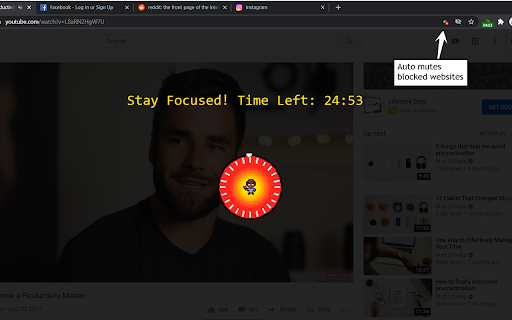
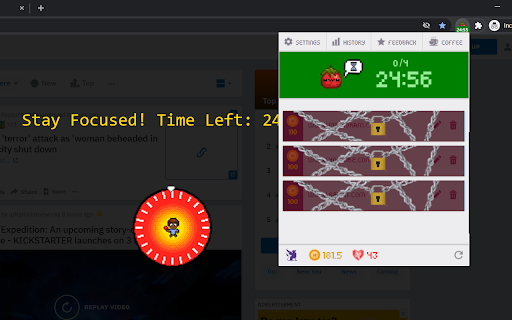
To report a bug or suggesting new features please use this link: https://github.com/ofekmiz/Habitica-Pomodoro-SiteKeeper/issues ----------------------------------------- This extension has two main features: 1."Pay to Pass" Website Blocker: Website Blocker that plugs into Habitica and limits you from visiting websites that you decide. You can decide to visit these sites by spending Habitica currency, which you'll earn by developing good habits and doing chores. 2.Pomodoro Timer: Including a Pomodoro Timer. You can read about the pomodoro technique here: https://habitica.fandom.com/wiki/Pomodoro During Pomodoro mode, all websites in the list are blocked, websites with cost 0 are blocked only during pomodoro. A Pomodoro habit is created automatically for the user in Habitica, with an option in the extension settings to automatically score [+] or [-] of the habit when a Pomodoro is done successfully or fails accordingly. How to use: After installing the extension, click on the icon at the top right to open the menu. In here, you must set your API Credentials. You can then block a site by navigating to it and clicking block site. It will ask you to enter a cost. From this point on, when you visit this site, the extension will ask you if you'd like to spend GP to access it. To start a pomodoro timer simply click on the Tomato character. Click again to stop the timer. In the settings you will find a lot of option that allow you tweak and change the pomodoro behavior to fit best for you. ----------------------------------------- For more information, recommended settings and version update log: https://habitica.fandom.com/wiki/Habitica_Pomodoro_SiteKeeper
Habitica Pomodoro SiteKeeper screenshot 1Habitica Pomodoro SiteKeeper screenshot 2Habitica Pomodoro SiteKeeper screenshot 3Habitica Pomodoro SiteKeeper screenshot 4Habitica Pomodoro SiteKeeper screenshot 5

Reviews (8 cached)

★☆☆☆☆2024-10-15
daarty

good but it has a problerme i lost my history with it im sadf help me lz i have no backup

★★☆☆☆2022-11-07
Лиза Л

no pomodoro pauses? is this the app for machines or for the humans? disappointed

★★★☆☆2025-06-23
Rida Mahsen

Man I really loved the UI and all of that but the timer glitch's so much , for example when I freezes the timer for like 2 minutes and I come back it reset the timer all my previous pomodoro session and it doesn't even count the time by the way I uses windows 7 so I don't know if the problem with is with my version of chrome

★★★☆☆2024-04-21
Vaishnavi VV

This is the cutest pomodoro chrome extension. I really need a pause button feature. I know it is distracting for some people, but because of frequent interruptions and duties i need to pause the time while studying. if you give a setting option for those who need the pause feature people will turn it on. And for those who find the pause button distracting they can switch off the setting of pause button option. Please provide pause feature asap.

★★★☆☆2022-12-14
Agatha Uy

Pay to pass access websites won't work

★★★☆☆2021-11-28
Maxime

your app seems nice but i can't connect my habitica account in it :/

★★★☆☆2021-09-21
ben co

The timer ignores the long rest. After the 4th pomodoro, instead of counting a 20 min. break (as configured), it only counts a 5 min. break.

★★★☆☆2021-04-15
Aginaya A

After the first break the pomodoro counter always goes back to zero, I'm always back to zero after the first break

Permissions (6)

Permissions

notifications Can show desktop notifications offscreen scripting Can inject scripts into web pages storage Can store data locally in your browser tabs Can see your open tabs and their URLs unlimitedStorage

Details

Version 8.0.4
Updated Aug 25, 2025
Size 7.58MiB
First Seen Mar 26, 2026
