
Asciidoctor.js Live Preview
v3.0.0 Updated Jul 16, 2025 3.05MiB
✅Highly rated
Description
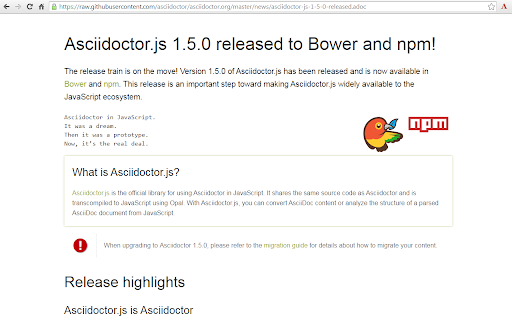
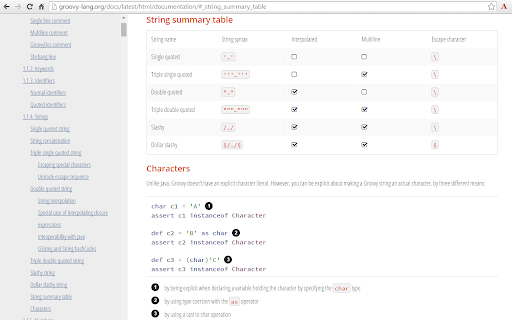
This project uses Asciidoctor.js to render AsciiDoc as HTML.
Usage
1. Check Allow access to file URLs in chrome://extensions
2. Open local or remote .ad, .adoc, .asc, .asciidoc file in Chrome
3. Enjoy!
Options
The extension can be configured via an options page.
To open the options page, right-click the extension icon and choose Options on the menu. You can also go to chrome://extensions and click the Options link.
The options page let you add custom attributes or change the theme of the AsciiDoc HTML output.
Changelog
3.0.0
• Migrate to manigest v3 -- `include` won't work anymore!
• Migrate documentation to Antora: https://docs.asciidoctor.org/browser-extension/
• Reorganize use-cases to separate page, try-it-yourself to a quickstart page, diagrams try-it-yourself to a diagrams quickstart page (#652) (#654)
2.7.1
• Add `accept` header when fetching AsciiDoc content (mainly to workaround an issue on github.com)
• Update dependencies
2.7.0
• Fix MathJax equation numbering (#412)
• Upgrade Asciidoctor.js from 2.2.0 to 2.2.1(based on Asciidoctor 2.0.12)
• Upgrade Asciidoctor Kroki from 0.8.2 to 0.12.0 (add excalidraw, bpmn and bytefield as a supported diagrams)
• Global configuration using `kroki-default-format` and `kroki-default-options` attributes
• Upgrade bulma from 0.8.2 to 0.9.1
2.6.1
• Do not add the toc2 class if the document has no section - thanks @mnrvwl
• Stop auto reload when the extension has been disabled - thanks @mnrvwl
• Remove the deprecated options_page - thanks @mnrvwl
• Upgrade Asciidoctor.js from 2.1.1 to 2.2.0
• Upgrade Asciidoctor Kroki from 0.7.0 to 0.8.1
• Support sidebar toc
• Compatibility with Firefox, use the same codebase again!
• Remove chartist sourcemap reference
2.5.0
• Upgrade Asciidoctor.js from 2.0.3 to 2.1.1
• Show errors thrown by the background script on the page (thanks @doub)
• Catch exceptions thrown by the initial XMLHttpRequest
• Use the `Cache-Control` header to make sure that we fetch the latest version available
• Upgrade Asciidoctor Kroki from 0.4.0 to 0.7.0 with new diagrams: `packetdiag`, `rackdiag`, `vega` and `vegalite`
• Upgrade chartist from 0.11.0 to 0.11.4
• Upgrade bulma from 0.7.5 to 0.8.2
2.4.0
• Move the fetch and convert functions in the background script (as the latest version of Chrome 80+ blocks `XMLHttpRequest` sent by the content script)
• Upgrade to MathJax 3.0.1
2.3.0
• Upgrade to MathJax 3.0.0 (thanks @sindzicat)
• Use server-side syntax highlighting (thanks @john-cj)
2.2.0
• Fix inter-document cross references by using `.adoc` as `outfilesuffix` (thanks @jmini)
• Disable the diagram extension by default (can be enabled in options page)
• The Kroki server URL can now be configured in the options page (for instance, you can point to a local instance)
2.1.0
• Set built-in attributes docfile, docname and docfilesuffix (thanks @utopalex & @ehmkah)
• Use Kroki extension to render diagrams (support BlockDiag, SeqDiag, ActDiag, NwDiag, C4, Ditaa, Erd, GraphViz, Mermaid, Nomnoml, PlantUML, SvgBob and UMLet diagrams!)
2.0.0
• Load additional languages for highlight.js (using :highlightjs-languages: attribute)
• Upgrade to Asciidoctor.js 2.0.3
• The default safe mode is now safe (was secure)



Reviews (4 cached)
★☆☆☆☆2019-09-29
Ahmed Mahfuz
Maybe ....just maybe it worked years ago. but not now. Its gone.
★☆☆☆☆2014-09-16
Michael Obster
Does not work anymore with latest Chrome version :-(
★★★☆☆2019-01-07
Ivan
Is this a full implementation of AsciiDoctor specification? Source code syntax highlighting and reference from outer source file with the "include::shared-content.adoc[]" syntax don't work for me.
★★★☆☆2016-09-24
Richard Lewis
doesn't work on chromebook for drive files. It also doesn't render a left side TOC, not sure why. And local images aren't showing up. If I run in linux on the same chromebook, it works.
Permissions (4)
Permissions
activeTabℹ Can access the current tab when you click the extension contextMenusℹ Can add items to the right-click menu storageℹ Can store data locally in your browser tabsℹ Can see your open tabs and their URLs
Details
| Version | 3.0.0 |
| Updated | Jul 16, 2025 |
| Size | 3.05MiB |
| First Seen | Mar 26, 2026 |
Popular in workflow

Adobe Acrobat: PDF edit, convert, sign tools
by Adobe Inc.
331M
★ 4.40
workflow
331M
★ 4.40
workflow

AdBlock — block ads across the web
by AdBlock
63M
★ 4.48
workflow
63M
★ 4.48
workflow

迅雷下载支持
by Shenzhen Xunlei Network Technology Co., Ltd.
59M
★ 2.77
workflow
59M
★ 2.77
workflow

Adblock Plus - free ad blocker
by eyeo GmbH
41M
★ 4.39
workflow
41M
★ 4.39
workflow

Chrome Remote Desktop
by Chrome Remote Desktop Release Managers
38M
★ 3.14
workflow
38M
★ 3.14
workflow
Popular Extensions
Adobe Acrobat: PDF edit, convert, sign tools
by Adobe Inc.
331M
★ 4.40
workflow
331M
★ 4.40
workflow
AdBlock — block ads across the web
by AdBlock
63M
★ 4.48
workflow
63M
★ 4.48
workflow
迅雷下载支持
by Shenzhen Xunlei Network Technology Co., Ltd.
59M
★ 2.77
workflow
59M
★ 2.77
workflow

Grammarly: AI Writing Assistant and Grammar Checker App
by Grammarly
42M
★ 4.50
communication
42M
★ 4.50
communication
Adblock Plus - free ad blocker
by eyeo GmbH
41M
★ 4.39
workflow
41M
★ 4.39
workflow