
Subtitles for Language Learning (Prime Video)
Description
Reviews (16 cached)
cannot adjust subtitle position
Couldn't find subtitles for the first 5 shows I selected.
limited only, lot of bugs is there, i found one https://chromewebstore.google.com/detail/prime-video-subtitles-tra/eijplpfkmkbjagemmnmplehpkcfjahli?hl=en this is good, easy, unlimited.
no sive
Can't even change position to not overlap with Amazon ones, so basically almost useless
mAKE IT BETTer liKE LaNGUAGE LEArNING WITH nEtflix
It literally doesn't work at all. I see the LL button, but no subtitles ever show up.
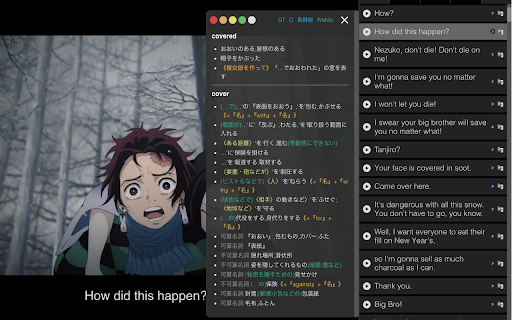
Font is too small and if you try to make it any bigger, it spreads to two lines and each line overlaps. Amazon has ads and the subtitles continue to run. After the ads are over, it's quite a pain trying to find the right timing to get them back on track again. Also the app runs in the background as a system even when you close chrome. For Japanese, there is no Romaji to go along with the kanji. One plus - they have a control to slow down Amazon's video. It's a good first try. They should check out Language Reactor to see how it should be done.
It works but there are a lot of bugs. You need to click on "subtitle file cache" in setting to make it work. Moreover, there are some pop-up window in a foreign language (probably in Japanese). It would be interesting to normalize everything to English or to the native language of the user. However, the most problematic thing is that the subtitles don't get correctly synchronized every time, and you need to adjust it periodically... I remove it.
This used to be very helpful for me until it suddenly stopped working and always just says waiting for video to load even though it is playing (this has been happening for months now does anyone know how to fix it)
Overall, it works. However when not on fullscreen mode, the subtitles get partially cut off on my screen on the left side, and for some reason they also get partially duplicated. For example "Secondo voci di corridoio, L'Uomo del Castello è ancora vivo. Secondo voci di corridoio". When I switch to fullscreen mode, the extension's subtitles disappear on the right side of the screen so there is no way to use the dictionary lookup feature.
For some reason it gets stuck on "Waiting for video to be Loaded..."
So far so good! Using Korean/English on prime and it works great after some adjustments -- I had to change the subtitle speed for the extension to get it to match up to the show, and I cant put away the sidebar with all of the translations because it'll cut off one of the languages on full screen, but this extension has worked better than others so I'm happy with it!
Could you add the function to permit to extrac the subtitles into a file like PDF? I'm language leaner and this function would be fantastic for a user like me.
The subtitles timing gets off more and more as the video keeps playing. Please do something to fix this critical issue, as this makes the extension practically unusable.
It's great to have subtitles many different languages but I wish it didn't show the subtitles so early. It's like 5 seconds early and makes it hard to watch and read.
Permissions (3)
Permissions
Details
| Version | 2.0.18 |
| Updated | Jul 7, 2025 |
| Size | 39.84MiB |
| First Seen | Apr 1, 2026 |
Popular in accessibility





Popular Extensions




