
Description


Reviews (11 cached)
This extension is in conflict with Gmail settings button. If this extension is enabled, then Quick setup taskbar in right ogf Gmail is not opening!
This doesn't work at all. I tried adding and removing the extension twice. I checked the permissions in Chrome settings and they were not blocked. It doesn't do anything if you click hide Application Bar, and there's no arrow for widening the task pane.
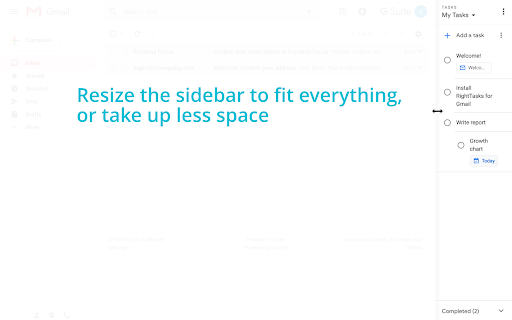
not shown on the right side
This seemed like a great extension until I isolated it as the reason that my compose screen in Gmail was not working. As long as this extension is running I could not write emails on my computer.
not work now :(
I wish this would disappear on message view. It works great on email lists, but it totally clashes with RHS extensions like Rapportive when in email view. Consider adding an option, or just ditching it from email view.
Nice idea, but when you already use right-side chat (like I do), its wipes it out, and leaves a huge gap on screen between tasks and your email. Un-installed it right away.
Google's lawyers apparently think that by holding an extension hostage until users approve an undisclosed new permission that isn't mentioned anywhere in the Chrome store or the extension's own page means that users who clicked Accept actually gave their consent to the permission. Yeah, good luck with that one. So what is this new permission you must blindly accept if you don't want to go back to Google's default UI? • It can read and change your data in gmail and tasks What does Google mean by that, exactly? Can the extension now inadvertently delete all my emails? Maybe not, but it sure does come across like that. None of this reflects on RightTasks itself, but I am giving it 3 stars for the moment until they at least address the permission (since I know Google definitely won't).
I have the idea that it slows down gmail. When I want to change account in the upper right corner the taskbar stays in front so I can't see the accounts.
I created multiple lists in my Tasks: when i move my gmail to Task: Task doesnt give me an option to select the list i want to move it to. in Gmail: there is no option to drag & drop into Tasks, or right click and select "move to"
SLOW hard for old pc
Permissions (1)
Permissions
Details
| Version | 3.2.0 |
| Updated | May 2, 2024 |
| Size | 14.48KiB |
| First Seen | Mar 31, 2026 |
More by Ionut Colceriu


Popular in workflow




Popular Extensions
