
Description

Reviews (2 cached)
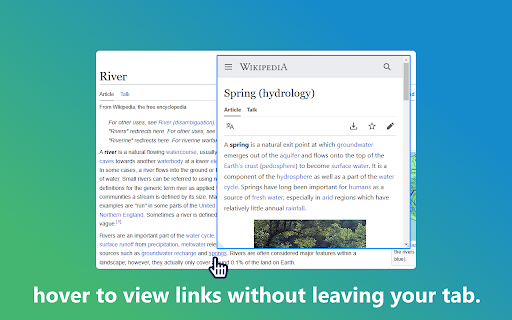
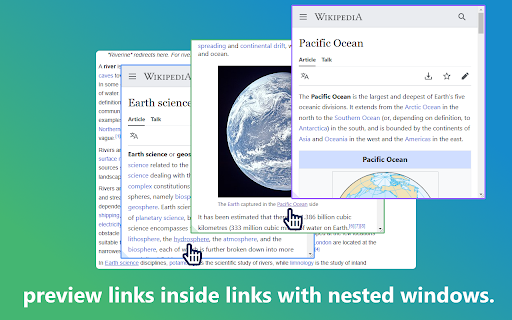
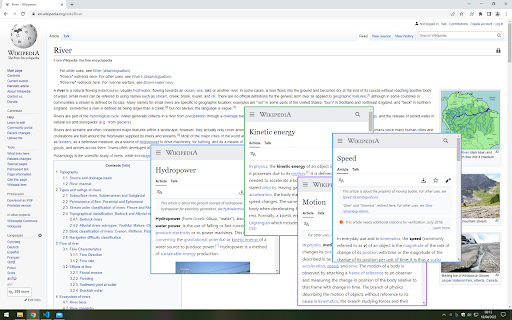
The best previewer extension I've ever utilized was CoolIris Preview for Firefox which was discontinued when Firefox changed extension protocols sometime around version 54. Any url Previewer Developer interested in making a superior extension should research CoolIris and mimic its functionality. With that said, my previous 5 star rating for Hoverflow was a bit premature. I was overly excited that most of the basics seemed to be covered. However, after spending some time with it there are some high priority issues that should be addressed for usability sake. here's what im seeing: Version 1.2.5 overall: - no persistent activation for selected websites domains. - unable to manually move frame window once opened (want to move it, not resize it) - obviously the extension should work for any/every url but it doesnt, - reloading the webpage removes activation for the extension?!?! - unable to view frame options after 1st install regardless of option activation (no bypass xframe option) example: unable to view options to pin frame or open in tab, etc. cnet.com https://www.cnet.com/personal-finance/credit-cards/advice/is-this-the-end-of-plastic-visas-new-technology-could-render-physical-cards-obsolete/ - frame doesnt open in consistent location (right, left, above, below) for links in the same vicinity. Best practice is generally to the left or right of the link - frames opening too close to the hovered link - some links unable to connect (ex. businesswire.com) nytimes.com - frames do not work for entire nytimes.com - linked nytimes article from front page after selection does not enable persistent activation (nytimes domain) Washingtonpost.com - frames work for most of the site, some links unable to connect Ultimately, it does provide instant preview windows for some sites. Depending on your website choices, your mileage may vary. Im not sure how active this developer is in terms of maintaining/improving on the extension, but it certainly needs work. I have a lot of UX knowledge I could share for free to help improve the project if desired. I forwarded my email to the developer so we'll see what happens.
Please add option to open through context menu (right clicking on link)
Permissions (5)
Permissions
Details
| Version | 1.2.5 |
| Updated | Jul 17, 2024 |
| Size | 53.14KiB |
| First Seen | Mar 26, 2026 |
Popular in workflow




Popular Extensions
