Youtube Summary with ChatGPT icon

Youtube Summary with ChatGPT

by Youtube Summarizer

v2.0.0 Updated Jan 24, 2025 107KiB
CWS
9K
Users
★ 3.67
24 reviews
#8208
of 207.3K
workflow
#2406 of 31.8K
⚠️Not updated in over a year ⚠️Requests 1 sensitive permission

Description

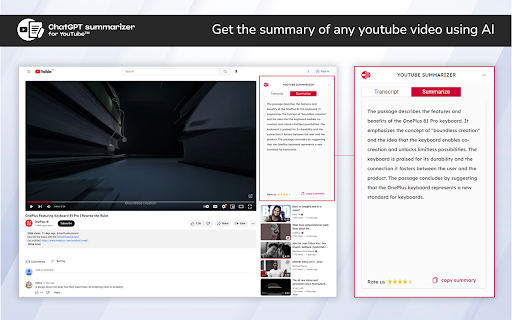
YouTube™ Summarizer Chrome Extension allows users to access the summary of videos they are watching. Users can easily view and access the key points of the video with just one click while browsing YouTube™. This extension can be a helpful tool for those who want to quickly understand the key points of a video without having to watch the entire thing. Key Features: Here are some key features of this extension: >>Video summarization: It automatically summarizes lengthy YouTube™ videos without losing important information. It can easily recognize and extract the key points, insights, and messages of the video. >>Time-stamping: It provides time-stamped summaries, which allows viewers to quickly navigate to the specific parts of the video they want to watch. This feature can also help viewers easily share and reference specific parts of the video. >>User-friendly interface: It has a simple and intuitive interface that makes it super easy to use this extension >>Accuracy and reliability: It accurately gives you the key points of a video, without missing any important information. How To Use? >> Install the extension by clicking on the “Add to Chrome” button >> Play any Video which has captions >> At the top right corner, you will see two options – Transcript & Summarizer >> Click on any of the two options as per your requirement FAQs >> 1. What is a video summary generator? This tool automatically creates a brief summary of a YouTube™ video, highlighting the main points and key takeaways. This can help viewers quickly get an idea of what the video is about, without having to watch the entire thing. >> 2. How does it work? It uses OpenAI's technology learning to analyze the subtitles of a video.
Youtube Summary with ChatGPT screenshot 1

Reviews (6 cached)

★☆☆☆☆2024-03-17
Anton Gorokhov

The message you submitted was too long, please reload the conversation and submit something shorter.

★☆☆☆☆2023-12-11
Aleksandr Safronov

The message you submitted was too long, please reload the conversation and submit something shorter.

★☆☆☆☆2023-09-06
Sid B

Is this working for anyone? It shows "undefined" or just shows "Generating..." for hours.

★★★☆☆2024-05-30
Alex

Looks good, but works unstable sometimes. I've switched to YouTube Summary AI with Gemini - it's fully free.

★★★☆☆2023-11-05
Vinnie D

It was good, but for some reason it stopped working. I did a good amount of troubleshooting to figure it out and see if it was something wrong with my Chrome settings. I removed it and redownloaded it and still not working. I don't see any settings to connect to my ChatGPT account or anything like that. I thought maybe it might need an API key or something after a certain amount of use. But sadly, haven't solved the issue and doesn't look like it will be fixed

★★★☆☆2023-07-24
AmpersAndTroubleshooting

I'll never understand why anyone thinks that this kind of thing is impressive. The purpose of Youtube is for video/ audio form content, not text form content. Afterall Youtube isnt a blogging sight and if the video drags on for too long, then there is 2x playback speed to save the time which everyone that visits Youtube often enough is aware of. I think this creator got carried away too much by the social media hype for what is honestly a useless extension.

Permissions (4)

Permissions

cookies Can read and modify browser cookies notifications Can show desktop notifications storage Can store data locally in your browser tabs Can see your open tabs and their URLs

Details

Version 2.0.0
Updated Jan 24, 2025
Size 107KiB
First Seen Mar 29, 2026