
Description


Reviews (14 cached)
It’s been working fine for me, but I noticed something odd. I shut down my system last night, and when I checked the linked devices list this morning, it showed “Send later” as active at 8:05 AM today. Thing is, I didn’t schedule any message for today, and the laptop wasn’t even on at that time.
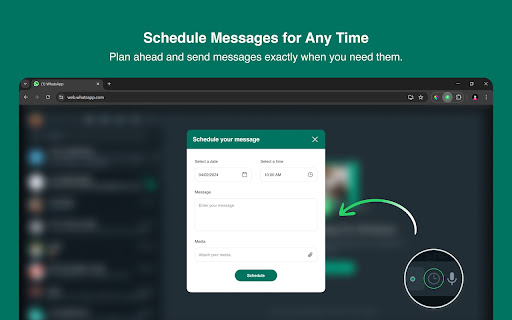
Firstly, the message scheduler icon doesn't show up directly in the chat, so the only way of scheduling a message i by first labeling the caht and then using the filter to schedule. More importantly, however, yesterday I took my time to schedule 20 messages in the morning, but only one of these has been sent, while the others completely disappeared, without even an error message (infact, when I scheduled them, I received the "message scheduled successfuly" notification). This problem needs to be fixed asap
Not working
What's the heck is going on ? Please fix the QR code . QR code Not generating . Fix it fast as soon as possible .
Please please fix the QR code!
QR code not working
It's not generating the QR code for me to scan to link to my android
It's not generating the QR code for me to scan to link to my android. I emailed the tech team with no response so I'm uninstalling and looking for an alternative
Please fix the UI, Whatsapp Web UI has changed making most of the add-on's buttons inaccessible.
Worked great the first time - wish it would again. Now I just get constant 'Failed' messages and it doesnt send on the schedule. Failed error message doesnt help to work out why.
Gets stuck on setup screen for hours
The chrome plugin seems to disconnect weekly or sometimes even more often. Is there a fix for this as it has happened numerous times now.
It used to work perfect but since a couple months ago the schedule button has dissapeared, even if you relink or re download the extension it doesn't work. So there is no way of scheduling messages without the button
The icon for scheduling messagens is not showing on my browser.
Permissions (4)
Permissions
Details
| Version | 6.5.12 |
| Updated | Mar 31, 2026 |
| Size | 817KiB |
| First Seen | Mar 31, 2026 |
More by F22 Labs

Popular in workflow




Popular Extensions
