
Description


Reviews (13 cached)
Doesn't work. New tab position logic is the same after installing this ext.
Doesn't do the 1 thing it is programmed to do. Tabs still open all the way to the right and not next to current tab.
this extension "New Adjacent Tab" did not work. FYI, this other extension "New Tab Positioner" works great: https://chromewebstore.google.com/detail/new-tab-positioner/aggooolbccepijnndlobojgdaeabbcfn
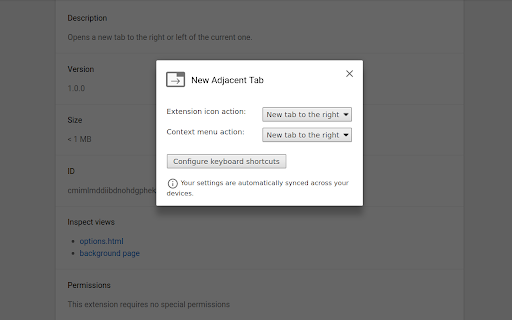
Does not at all do what it says. Why you can't just open a new tab next to the current one, why is there any need for context menu or shortcut keys. Just open a new tab adjacent to current one as the title would suggest. 👎
Does not work for external apps, then the link/tab does not open right next to the active tab, it opens at the end of all tabs in the window.
I've tried 3 other such extensions which worked but not well. This extension flat out DOES NOT WORK! It opens tab at end of many other open tabs. Complete FAIL!
Absolutely worthless extension. I wanted a replacement for 'Open Tabs Next to Current'. This isn't it. All it can do is open a new blank tab.
I loved this extension, but the most recent update seems to cause a lot of weird behaviour during Chrome startup. Whenever this extension is active it seems to cause Chrome to "cycle through" every tab causing potentially hundreds to load all at once. In addition, this extension causes Chrome to no longer remember what tab was previously active per window and tab order can get messed up. It took me a while to trace it back to this particular extension and what a pain it was to get everything back to working order but hopefully it will be fixed.
Not enough options on the options page - you can't set which tab to activate when closing a tab.
Useless. Works when opening a new link from the current tab, doesn't work if creating a brand new tab with the "+" button.
It does set it's own shortcuts (Alt+T). Unable to set it to overwrite default Ctrl+T
perfect so far. just need a option to activate to the left when i close current tab. then it will be manufique.
When on last tab in a group, it doesn't add new tab (to the right) to the group:(
Permissions (2)
Permissions
Details
| Version | 1.1.1 |
| Updated | Feb 5, 2026 |
| Size | 10.67KiB |
| First Seen | Mar 25, 2026 |
More by Adel Saoud

Popular in functionality




Popular Extensions




