
⚠️Not updated in over a year
Description
How to Use CodeLog - DSA Problem Tracker
CodeLog is a browser extension designed to help students and professionals keep track of their DSA (Data Structures and Algorithms) problems across popular platforms like LeetCode, GeeksforGeeks, Coding Ninjas, and more. With its user-friendly interface and simple functionality, CodeLog ensures that you can manage, save, and revisit your coding problems efficiently.
Key Features:
Track DSA Problems: Save problems for later or mark them as done with one click.
Add Personal Notes: Optionally add notes for each saved problem for future reference.
Quick Search & Sort: Easily search through your saved problems and sort them by serial number.
Cross-Platform Support: Detects problems on multiple platforms including LeetCode, GeeksforGeeks, and Coding Ninjas.
Minimal UI: A clean, coding-inspired interface to keep the focus on solving problems.
Step-by-Step Instructions:
Install the Extension
After installing CodeLog from the Chrome Web Store, a small icon will appear next to your browser's address bar.
Detect Problems Automatically
Visit a coding platform like LeetCode or GeeksforGeeks. CodeLog will automatically detect the question on the page.
Save for Later or Mark as Done
Use the extension’s pop-up to:
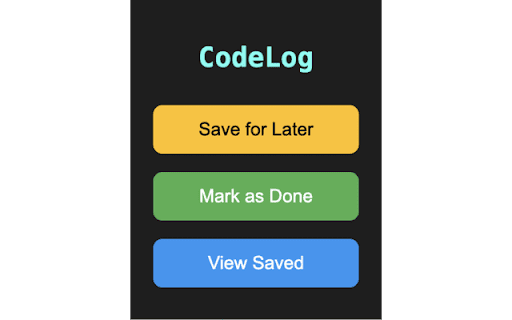
Click Save for Later to store the problem link for future reference.
Click Mark as Done when you complete the problem. You can also add personal notes to help you recall your solution or strategy.
View Saved Problems
Click on the View Saved button in the extension. This will open a dedicated page where you can see a list of all saved questions.
You can search, sort, and review your saved problems, including any notes you’ve added.
Export as CSV
Want to keep an offline record? Easily export your saved problems and notes as a CSV file by clicking the Export as CSV button on the saved questions page.
Why Choose CodeLog?
Efficient Problem Management: Quickly save and organize problems from multiple platforms in one place.
Custom Notes: Keep track of your thought process or hints by adding notes to each problem.
Simple & Lightweight: Focus on your work with an extension that blends seamlessly into your workflow.
Great for Students & Professionals: Whether you're preparing for coding interviews or practicing DSA, CodeLog keeps you organized and on track.
Start solving problems and get organized with CodeLog today!

Reviews
Loading reviews...
Permissions (2)
Permissions
activeTabℹ Can access the current tab when you click the extension storageℹ Can store data locally in your browser
Details
| Version | 1.2 |
| Updated | Sep 14, 2024 |
| Size | 103KiB |
| First Seen | Mar 26, 2026 |
Popular in developer

GoFullPage - Full Page Screen Capture
by GoFullPage
10M
★ 4.89
developer
10M
★ 4.89
developer

TouchEn PC보안 확장
by 라온시큐어
8M
★ 1.33
developer
8M
★ 1.33
developer

React Developer Tools
by Meta
5M
★ 3.95
developer
5M
★ 3.95
developer

Meta Pixel Helper
by Meta
4M
★ 3.90
developer
4M
★ 3.90
developer

ColorZilla
by colorzilla.com
4M
★ 4.59
developer
4M
★ 4.59
developer
Popular Extensions

Adobe Acrobat: PDF edit, convert, sign tools
by Adobe Inc.
322M
★ 4.40
workflow
322M
★ 4.40
workflow

AdBlock — block ads across the web
by AdBlock
62M
★ 4.48
workflow
62M
★ 4.48
workflow

迅雷下载支持
by Shenzhen Xunlei Network Technology Co., Ltd.
59M
★ 2.77
workflow
59M
★ 2.77
workflow

Grammarly: AI Writing Assistant and Grammar Checker App
by Grammarly
42M
★ 4.50
communication
42M
★ 4.50
communication

Adblock Plus - free ad blocker
by eyeo GmbH
40M
★ 4.39
workflow
40M
★ 4.39
workflow