
Description


Reviews (9 cached)
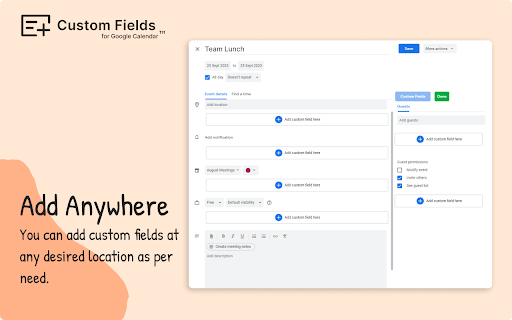
When installed and activated, a feedback popup emerges. Your only option is to give feedback, all other buttons (like close, ask later or never ask) are fake. Even after writing a review you cannot use the extension. When looking at the source code, you can see that the button "add custom field" is disabled. When removing the "disabled" tag, you can click the button and are given the options to create a field, yet if you try to create a field, a notification pops up claiming that you do not have access to this function. All in all a promising idea, shame it is a total scam.
The button to add a custom field appears, it offers three choices, but none of them seem to work. Looks like they cannot open a dialogue in Brave (a Chrome variant). Same with Chrome. Security problem?
It doesn't work
Customize button never appeared, even after following instructions.
Doesn't work. Custom button never appears.
no information about how to use even in a search, does not appear usable
I cannot use it: i've installed the extension but any additional field can be added to the google calendar. Need some help
Why cant I delete a field globally? I delete a field on one date and it is still on the other dates.
This app was much better than I expected based on the ratings. I didn't get spammed with demands that I review it. I hoped that the extension would embed the custom fields in the ics data under the extendedProps field so that a custom web app consuming this data could display a URL for the event on the event card. However, when I look at the ics file download for the event after adding a custom field, it doesn't contain the custom data I entered. I'm guessing this means the app is storing the data separately under my google account and all these fields will only be viewable to my user on a machine with this extension which is not very useful to me.
Permissions (1)
Permissions
Details
| Version | 9.4.0 |
| Updated | Mar 26, 2026 |
| Size | 1.97MiB |
| First Seen | Mar 26, 2026 |
More by Tabgraf





Popular in workflow




Popular Extensions
