Description
Reviews (9 cached)
There is no way to scroll down the list. It's stuck at the top.
I want to use ONLY French accents, there is no way to save it as preferred language, I have to scroll until I find the desired character. it is faster to write in Microsoft word and past it in chrome.
You have to stop typing and look for a character. Typing your sentences in the Word Office and then copying them in Google Chrome is much more faster than using this extension.
Better than nothing, but barely. There are just too many steps required to get the accent you need to the document you are working on.
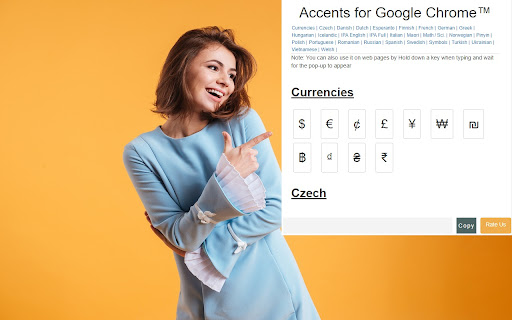
clunky - Every time I want to type a tilde over a lower-case n, for example, I have to click on extensions, open this extension, scroll to Spanish, click on the tilde-over-n image, then click copy, then click the window where I want the character to appear, then paste, and the extension closes, so if my word has two diacriticals, I have to go through all of the steps to type one word! OK, not many Spanish words have two, but can you imagine typing Vietnamese diacritics this way? It's probably faster to tape a UTC-code cheat sheet on the laptop.
Could be a lot better... only 5 letters are included for Pinyin, which makes it completely useless. There's no A, E, or I at all, and only one U. Like at that point you might as well not have a Pinyin section at all. The "hold down key to activate" also didn't work, which meant every time I needed a diacritic I had to stop typing, find the character in one of the other language lists, and then click twice just to copy it. This extension has real potential and the devs have done well to get this far, but right now it's just not complete, and it's not at all useful for people who need to type pinyin.
Would like to see capital letters included. Also, it would be great to not have to press "copy" every time an accent is needed.
Missing a few accent marks from Swedish. The accent marks that are available are only in lower case, not both upper and lower case. The extension works great though, easy to use.
No Hawaiian, or even a grouped "Polynesian". Just Maori - which could very well be bundled with the Polynesian as it is in the Polynesian Triangle.
Details
| Version | 3.0.0 |
| Updated | Sep 9, 2022 |
| Size | 354KiB |
| First Seen | Apr 1, 2026 |
More by Thomas David



Popular in workflow




Popular Extensions
