
⚠️Not updated in over 2 years
Description
How to use:
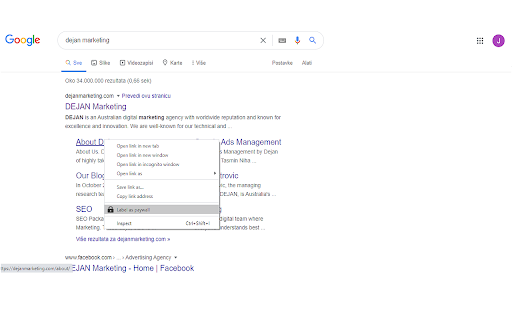
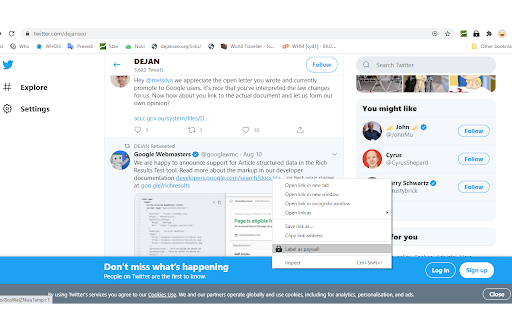
1. Bring up the context menu on the search result or links from Twitter or Facebook feeds you wish to label.
2. Select "Label as paywall"
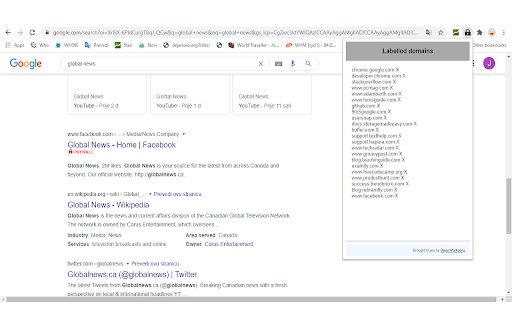
3. Small lock icon will now appear next to pages from that domain in the future.
Follow the same process to unlabel a domain. Alternatively click on the extension icon to view the list of labelled domains. Click on "x" next to the domain in the list to remove the label.

Reviews
Loading reviews...
Permissions (4)
Permissions
contextMenusℹ Can add items to the right-click menu scriptingℹ Can inject scripts into web pages storageℹ Can store data locally in your browser tabsℹ Can see your open tabs and their URLs
Details
| Version | 3.1 |
| Updated | Mar 15, 2022 |
| Size | 530KiB |
| First Seen | Mar 27, 2026 |
More by dejan-tools



Popular in workflow

Adobe Acrobat: PDF edit, convert, sign tools
by Adobe Inc.
331M
★ 4.40
workflow
331M
★ 4.40
workflow

AdBlock — block ads across the web
by AdBlock
62M
★ 4.48
workflow
62M
★ 4.48
workflow

迅雷下载支持
by Shenzhen Xunlei Network Technology Co., Ltd.
59M
★ 2.77
workflow
59M
★ 2.77
workflow

Adblock Plus - free ad blocker
by eyeo GmbH
41M
★ 4.39
workflow
41M
★ 4.39
workflow

Chrome Remote Desktop
by Chrome Remote Desktop Release Managers
38M
★ 3.14
workflow
38M
★ 3.14
workflow
Popular Extensions
Adobe Acrobat: PDF edit, convert, sign tools
by Adobe Inc.
331M
★ 4.40
workflow
331M
★ 4.40
workflow
AdBlock — block ads across the web
by AdBlock
62M
★ 4.48
workflow
62M
★ 4.48
workflow
迅雷下载支持
by Shenzhen Xunlei Network Technology Co., Ltd.
59M
★ 2.77
workflow
59M
★ 2.77
workflow

Grammarly: AI Writing Assistant and Grammar Checker App
by Grammarly
42M
★ 4.50
communication
42M
★ 4.50
communication
Adblock Plus - free ad blocker
by eyeo GmbH
41M
★ 4.39
workflow
41M
★ 4.39
workflow