
⚠️Not updated in over 2 years
Description
Use a single button to turn javascript on or off on the Google Chrome Tab you are in. You might want to turn off javascript to help debug a webpage/check your website code errors.
This is a quick way to enable/disable Javascript
Turn javascript on/off with a button.
To begin using the software, you need to install the extension first.
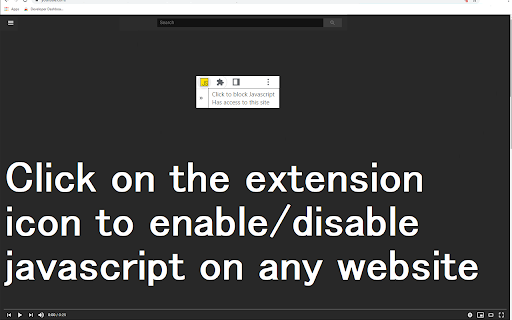
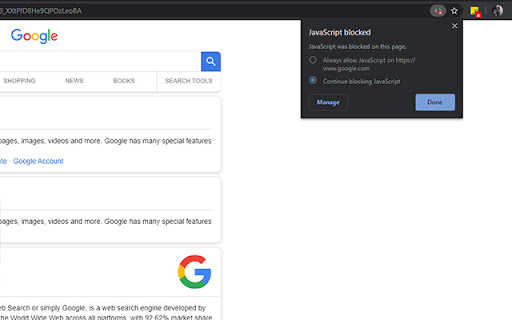
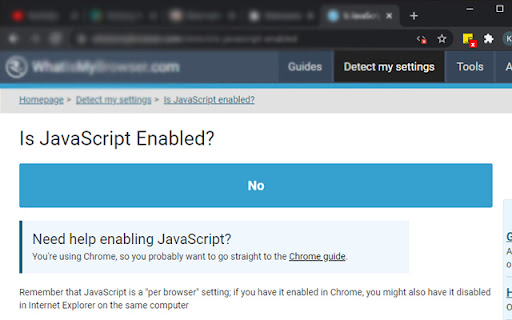
Once you are on the website you wish to turn javascript off, just click on the software extension to switch it off .
You can turn javascript back on for that webpage by clicking on the extension icon again.
Disclaimer: Please note this extension is NOT made by Google and is made by an independent development team. All copyrights belong to their respective owners. Google doesn’t endorse or sponsor this Chrome extension. Enable Javascript is not owned by, is not licensed by and is not a subsidiary of Google Inc.
Reviews (1 cached)
★★★☆☆2024-02-12
bloodys spammers
⚠️⚠️⚠️⚠️ DOES NOT ADD WEBSITE TO ALLOW LIST WHEN ENABLED IN A PAGE. ONLY GLOBALLY ENABLES OUR DISABLES JAVASCRIPT! ⚠️⚠️⚠️⚠️
Permissions (3)
Permissions
activeTabℹ Can access the current tab when you click the extension contentSettingsℹ Can change content settings like JavaScript and cookies per-site storageℹ Can store data locally in your browser
Details
| Version | 3.0.0 |
| Updated | Mar 15, 2022 |
| Size | 197KiB |
| First Seen | Mar 30, 2026 |
More by Free Useful Apps

Downloads
by Free Useful Apps
10K
★ 4.42
workflow
10K
★ 4.42
workflow

Free PDF Editor
by Free Useful Apps
10K
★ 2.17
workflow
10K
★ 2.17
workflow

Bookmark Manager
by Free Useful Apps
10K
★ 3.71
workflow
10K
★ 3.71
workflow

Easy Auto Scroll
by Free Useful Apps
6K
★ 3.71
workflow
6K
★ 3.71
workflow

Download Virus Scanner
by Free Useful Apps
5K
★ 2.91
workflow
5K
★ 2.91
workflow
Popular in education

Kami for Google Chrome™
by Kami
19M
★ 4.56
education
19M
★ 4.56
education

EndNote Click
by EndNote Click
5M
★ 4.06
education
5M
★ 4.06
education

Promethean® Screen Share
by classflow
4M
★ 2.98
education
4M
★ 2.98
education

Language Reactor
by Dioco
2M
★ 4.20
education
2M
★ 4.20
education

Mote for Google Chrome™
by Mote Technologies, Inc.
2M
★ 4.55
education
2M
★ 4.55
education
Popular Extensions

Adobe Acrobat: PDF edit, convert, sign tools
by Adobe Inc.
331M
★ 4.40
workflow
331M
★ 4.40
workflow

AdBlock — block ads across the web
by AdBlock
62M
★ 4.48
workflow
62M
★ 4.48
workflow

Grammarly: AI Writing Assistant and Grammar Checker App
by Grammarly
42M
★ 4.50
communication
42M
★ 4.50
communication

Chrome Remote Desktop
by Chrome Remote Desktop Release Managers
38M
★ 3.14
workflow
38M
★ 3.14
workflow

Microsoft Single Sign On
by Microsoft
36M
★ 2.27
workflow
36M
★ 2.27
workflow