
Description
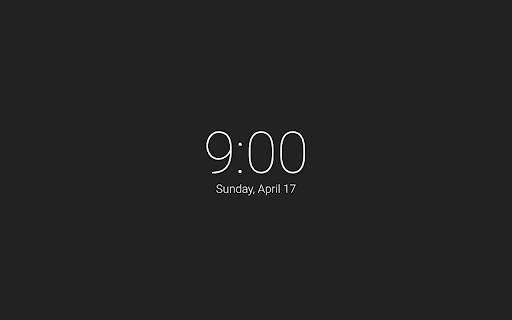
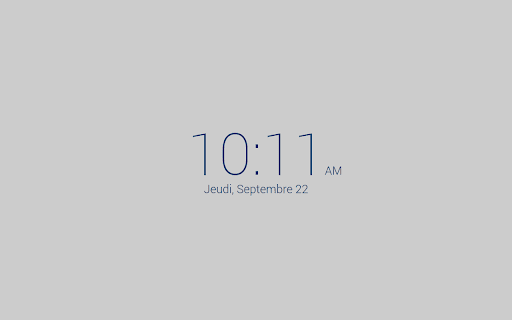
A gorgeous hyperminimalistic new tab page featuring a clock and date.
Features:
- 12- and 24-hour time
- Date (can be hidden or shown)
- 5 beautiful themes: light, night, (full) dark, material, and light-blue.
- Option to use a custom image in the background.
- Option to rotate between light and night themes based on time of day
This project is on GitHub! https://github.com/ErikBoesen/BWNT



Reviews (1 cached)
★★☆☆☆2021-09-08
Omer Qasim
it was fine till a while back, but now, it does not save my settings, keeps reverting to its default settings, and there is nothing i can do every time i close all new tabs and then open a tab, and this happens... i really like this extension, and there are none like it, giving the option to customize background is the reason i added this extension, if there is anything i can do to fix this, please do tell me (ps: i use brave, in case the browser is causing issues)
Permissions (1)
Permissions
storageℹ Can store data locally in your browser
Details
| Version | 2.1.4 |
| Updated | May 7, 2025 |
| Size | 40.14KiB |
| First Seen | Mar 27, 2026 |
Popular in workflow

Adobe Acrobat: PDF edit, convert, sign tools
by Adobe Inc.
331M
★ 4.40
workflow
331M
★ 4.40
workflow

AdBlock — block ads across the web
by AdBlock
62M
★ 4.48
workflow
62M
★ 4.48
workflow

迅雷下载支持
by Shenzhen Xunlei Network Technology Co., Ltd.
59M
★ 2.77
workflow
59M
★ 2.77
workflow

Adblock Plus - free ad blocker
by eyeo GmbH
41M
★ 4.39
workflow
41M
★ 4.39
workflow

Chrome Remote Desktop
by Chrome Remote Desktop Release Managers
38M
★ 3.14
workflow
38M
★ 3.14
workflow
Popular Extensions
Adobe Acrobat: PDF edit, convert, sign tools
by Adobe Inc.
331M
★ 4.40
workflow
331M
★ 4.40
workflow
AdBlock — block ads across the web
by AdBlock
62M
★ 4.48
workflow
62M
★ 4.48
workflow
迅雷下载支持
by Shenzhen Xunlei Network Technology Co., Ltd.
59M
★ 2.77
workflow
59M
★ 2.77
workflow

Grammarly: AI Writing Assistant and Grammar Checker App
by Grammarly
42M
★ 4.50
communication
42M
★ 4.50
communication
Adblock Plus - free ad blocker
by eyeo GmbH
41M
★ 4.39
workflow
41M
★ 4.39
workflow