
Readera For PC,Windows and Mac (Free Use)
v1.1 Updated Mar 21, 2024 7.79KiB
⚠️Not updated in over 2 years ⚠️Below average rating
Description
Discover books effortlessly on Readera for PC, Windows, and Mac. Search by author, track new releases, and ensure a safe YouTube experience for kids with built-in keyword and URL blocking features. Simple, user-friendly, and efficient.
✅ Readera Extension Features
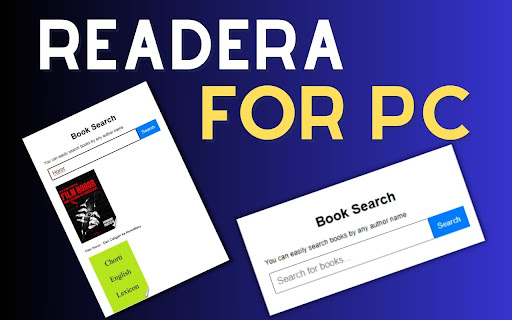
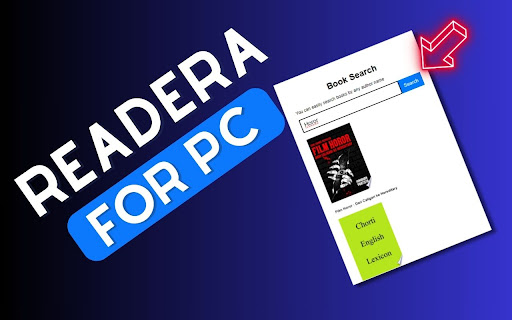
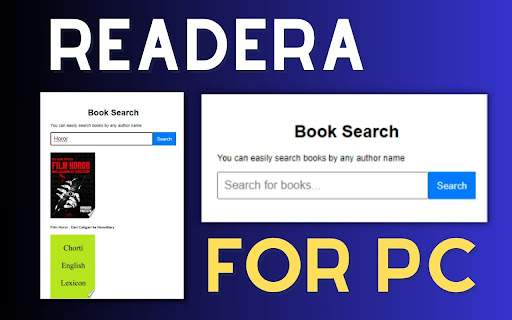
1) Here, you can easily search books by any author's name.
2) You can check whether the new book has been released or when it will be released.
3) Easy to use.
4) Simple extension.
✅ How To Use Readera on PC?
Step 1: Start by adding this extension to your Chrome browser by clicking "Add to Chrome."
Step 2: Next, click on the Extension icon.
Step 3: You will see search Box, Then Here, you can easily search books by any author's name. Verify if a new book has been released or when it is scheduled for release.
Step 4: Enjoy a safer browsing experience!
✅ Disclaimer:
Please note that "Readera for PC, Windows, and Mac" Chrome Extension is an independent product and is not associated, affiliated, or endorsed by the Readera Android app or its developers. We respect intellectual property rights and make no claim to any copyrights associated with the Readera Android app.
Reviews (6 cached)
★☆☆☆☆2025-11-09
Michael Bradley
Its instructions don't inform. How does this "read" epubs? A waste of time.
★☆☆☆☆2025-09-14
Tom the Amazing
0 stars. fake garbage
★☆☆☆☆2024-11-08
Umberto Ricci
waste of time
★☆☆☆☆2024-08-28
Abbos Soatmurodov
it's fake
★☆☆☆☆2024-07-24
LindsayReadsAndCoffeeBeans
Make sure to check out the disclaimer below...this is not actually affiliated with ReadEra andriod app :(, which was the only reason I was downloading it to try and get my books from my pc to the ReadEra app. Please note that "Readera for PC, Windows, and Mac" Chrome Extension is an independent product and is not associated, affiliated, or endorsed by the Readera Android app or its developers. We respect intellectual property rights and make no claim to any copyrights associated with the Readera Android app.
★☆☆☆☆2024-06-01
Ruben Van den Broeck
fake app
Details
| Version | 1.1 |
| Updated | Mar 21, 2024 |
| Size | 7.79KiB |
| First Seen | Mar 27, 2026 |
More by sohan.rana.sumi

CapCut For PC,Windows and Mac (Easy Edit)
by sohan.rana.sumi
2K
★ 2.00
art
2K
★ 2.00
art

LightCut For PC,Window,Mac (Free Use)
by sohan.rana.sumi
1K
★ 5.00
art
1K
★ 5.00
art

Fancy Text Generator For Pc,Windows and Mac
by sohan.rana.sumi
106
★ 0.00
art
106
★ 0.00
art

QR Code Generator For Pc,Windows and Mac (Free use)
by sohan.rana.sumi
85
★ 0.00
accessibility
85
★ 0.00
accessibility
Popular in entertainment

Netflix Party is now Teleparty
by Netflix Party
10M
★ 4.11
entertainment
10M
★ 4.11
entertainment

AHA Music - Song Finder for Browser
by AHA Music
1M
★ 4.23
entertainment
1M
★ 4.23
entertainment

Watch2Gether
by Watch2Gether
900K
★ 3.53
entertainment
900K
★ 3.53
entertainment

Sweezy Cursors ★ Custom Cursor for Chrome™
by Sweezy
400K
★ 4.78
entertainment
400K
★ 4.78
entertainment

TwoSeven Extension
by twoseven.xyz
100K
★ 3.26
entertainment
100K
★ 3.26
entertainment
Popular Extensions

Adobe Acrobat: PDF edit, convert, sign tools
by Adobe Inc.
331M
★ 4.40
workflow
331M
★ 4.40
workflow

Chrome Remote Desktop
by Chrome Remote Desktop Release Managers
38M
★ 3.14
workflow
38M
★ 3.14
workflow

Microsoft Single Sign On
by Microsoft
36M
★ 2.27
workflow
36M
★ 2.27
workflow

Cisco Webex Extension
by cisco.chromestore
24M
★ 2.34
social
24M
★ 2.34
social

Kami for Google Chrome™
by Kami
19M
★ 4.56
education
19M
★ 4.56
education