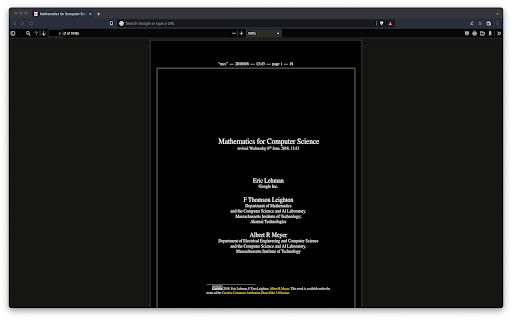
⚠️IMPORTANT⚠️: This extension won't work until you give it permission to access file URLs. You can do so by heading to your browser's extension page and enabling file access there.
⚠️IMPORTANT⚠️: This extension will only work on PDFs that you have installed locally on your computer. If you want it to work on PDFs you find online as well i.e. http://www.africau.edu/images/default/sample.pdf, I recommend you use Arshpreet Buttar's DarkPDF extension instead @ https://chrome.google.com/webstore/detail/darkpdf/cfemcmeknmapecneeeaajnbhhgfgkfhp?hl=en.
⚠️IMPORTANT⚠️: Your PDF viewer should be set to light theme for this extension to work. If you try to open up a light PDF document in a dark PDF viewer, this extension is going to invert the colors for both of them. Leaving you with a dark PDF document and a light PDF viewer. You need to have both of a light PDF document and a light PDF viewer for the desired results.
EDIT: As pointed out in the reviews, you can't change the theme for chrome's default PDF viewer without changing the theme of your browser (as of May 2024 at least). I use the Vimium C PDF Viewer chrome extension instead, which gives me a different PDF viewer that can have a theme independent of the browser. Put chrome in dark theme, put vimium C pdf viewer in light theme, and it should work out. You can find that extension here.
https://chromewebstore.google.com/detail/pdf-viewer-for-vimium-c/nacjakoppgmdcpemlfnfegmlhipddanj
https://chromewebstore.google.com/detail/vimium-c-all-by-keyboard/hfjbmagddngcpeloejdejnfgbamkjaeg
This extension is a fork of Buttar's extension (from above) except it's one file only.
```js
let darkPdfDivStyles = `
pointer-events: none;
width: 100vw;
height: 100vh;
background-color: #e6e6e6;
mix-blend-mode: difference;
z-index: 1;
`;
let darkPdfDiv = document.createElement('div');
darkPdfDiv.setAttribute("style", darkPdfDivStyles);
document.body.appendChild(darkPdfDiv)
```
EDIT: I ended up switching to Buttar's extension myself, but in case people still want this one I'll leave it up. If anyone wants to use my logo, it's public domain no attribution required (no warranty). Code is GPLv3.
https://github.com/chris-straka/pdf-dark-theme