Awesome PDF Viewer, Reader icon

Awesome PDF Viewer, Reader

by Smart Software

v1.0.1.0 Updated Mar 16, 2026 68.94KiB
CWS
20K
Users
★ 3.93
110 reviews
#4111
of 204.5K
workflow
#1269 of 31.4K
Recently updated

Description

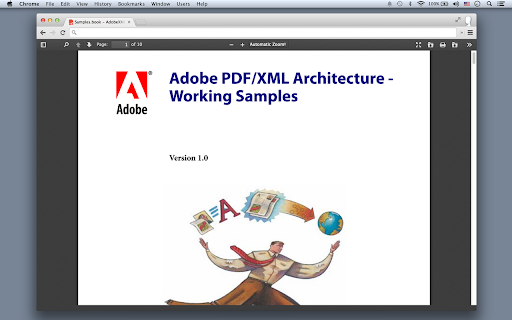
This PDF Viewer is a free tool that allows you to view/edit PDF files directly in your Chrome. This extension adds a button menu to Chrome's built-in PDF viewer. This button will allow you to view or edit a PDF file directly. The tool allows you to import a PDF and image through the web page context menu (right-click menu) on links/images, and provides support for PDF viewing, editing, and creation. This PDF Viewer reads files without uploading the file to any servers. It only works locally without going through the server. This PDF viewer/editor supports local & web PDF files. Based on HTML5/js/wasm PDF library. *Other Features Convert a PDF to HTML to edit, Extract texts from a PDF, PDF Compress, XFA PDF Viewer PDF pages to Image, Extract images from a PDF, Extract attachments from a PDF, Merge a PDF with another PDF Extract single pages from a PDF, Page delete/move in a PDF, Optimize images, Remove text/Images in a PDF OCR Text Recognition, Text to Speech, Encrypt/Decrypt PDF, Convert to Postscript/HEIC/TIFF/SVG, and more. Support Chrome 109 and later versions.
Awesome PDF Viewer, Reader screenshot 1Awesome PDF Viewer, Reader screenshot 2Awesome PDF Viewer, Reader screenshot 3

Reviews (14 cached)

★☆☆☆☆2024-01-05
Michael Hogan

It has ever actually worked at all. Complete waste of time

★☆☆☆☆2018-03-19
Panagiotis Papakammenos

it says free, but you have to pay in ads. If it says free, you are the product. Do you have any relation with Mozilla? Mozilla is an organization, why is it on the title?

★☆☆☆☆2018-01-10
MP Singh

Shows Sidebar Ad ! Removing it immediately after installing it !

★☆☆☆☆2017-11-16
Rashid B

looks like a virus to me

★☆☆☆☆2017-11-03
sense locke

Does not work. Chrome pops up a save dialog.

★☆☆☆☆2017-07-24
Buckle-Up Buttercup

No pdf open ever.

★☆☆☆☆2016-11-26
Lennard Kowalik (Len)

Search for 1 character - finds them all. but I don't know how they are identified/highlighted. Add a second character to the search string and it finds nothing. Chrome on Chrome OS.

★☆☆☆☆2016-11-01
Andres Artigas

Adds inside

★☆☆☆☆2015-05-03
Marcelo Curi

Ads occupy 1/3 of the screen...

★☆☆☆☆2012-02-04

Need to change the description - this does not check for a new version of Chromium.

★★☆☆☆2016-08-22
Sandra Crockett (Sandy)

I guess I was expecting more options?

★★☆☆☆2016-05-02
J. Gallardo

Does not open multipage PDFs same issue as chrome's pdf viewer only first page shwon.

★★★☆☆2023-08-07
Nicole Ahmed

Just opens a tab to their site: https://pdfviewer.softgateon.net/ Doesn't allow opening from file urls (broken) Works well with google drive - but needs access to your whole drive which might be a security issue for you. Allows saving pictures from a page. Doesn't convert. Doesn't set default pdf viewer. This is the official extension: https://chrome.google.com/webstore/detail/pdf-viewer/oemmndcbldboiebfnladdacbdfmadadm https://github.com/mozilla/pdf.js

★★★☆☆2019-09-02
Branden Roane

Files opened alright, but the print option in the extension didn't work, which would be okay if when you tried to print it through the system, it didn't print in a weird way.

Permissions (2)

Permissions

contextMenus Can add items to the right-click menu storage Can store data locally in your browser

Details

Version 1.0.1.0
Updated Mar 16, 2026
Size 68.94KiB
First Seen Mar 30, 2026

More by Smart Software

Popular in workflow

Popular Extensions