
⚠️Not updated in over a year
Description
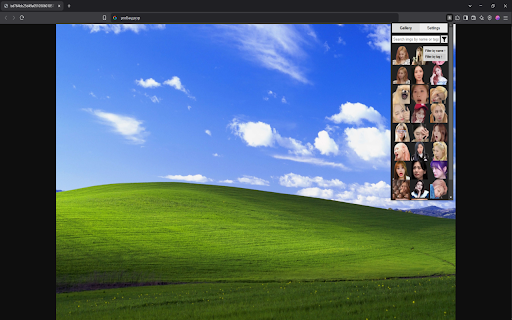
How to Add Images:
- Drag & Drop: Simply drag image files from your computer and drop them onto the extension’s popup window.
- Browse & Upload: In the Settings tab, click the “Choose Images” button to browse for files on your computer.
- Direct Click Download: Enabling this option (in Settings) lets you click any image on any webpage to instantly add it to your gallery—no manual download needed. It automatically deactivates if you don’t click an image for 10 seconds, or if you turn it off yourself. Note: certain special image formats or long page sessions may prevent the script from working, so reloading the page typically fixes it.
Using Images:
- Click to Copy: Clicking any image in the gallery copies it to your clipboard.
- Drag & Drop: You can also drag images into other applications (though not all platforms, e.g. Discord, support this).
Labels (Names):
- Rename: Double-click an image’s label to change its name.
- Hide Labels: You can toggle label visibility in Settings.
Search Bar:
- Name Search: Typing a partial or full name filters images by their labels.
- Tag Search: You can also filter by tags by typing each tag followed by a space (e.g., tag1 tag2). The gallery will only show images that have all those tags. You can combine both tags and name fragments in the same query (e.g., tag1 tag2 example_name) to narrow results further.

Reviews
Loading reviews...
Permissions (3)
Permissions
clipboardWriteℹ Can write to your clipboard offscreen storageℹ Can store data locally in your browser
Details
| Version | 1.0.0 |
| Updated | Mar 22, 2025 |
| Size | 18.8KiB |
| First Seen | Mar 22, 2026 |
Popular in functionality

Infinity New Tab
by Infinity Teams
400K
★ 4.57
functionality
400K
★ 4.57
functionality

Go Back With Backspace
by gobackwithbackspace
300K
★ 3.16
functionality
300K
★ 3.16
functionality

Google Search Maps Button
by Publisher54321
200K
★ 4.81
functionality
200K
★ 4.81
functionality

Disable AI Overview | Turn Off AI Overview
by hideaioverviews
100K
★ 4.06
functionality
100K
★ 4.06
functionality

IPvFoo
by Paul Marks
100K
★ 4.82
functionality
100K
★ 4.82
functionality
Popular Extensions

Adobe Acrobat: PDF edit, convert, sign tools
by Adobe Inc.
330M
★ 4.40
workflow
330M
★ 4.40
workflow

Chrome Remote Desktop
by Chrome Remote Desktop Release Managers
38M
★ 3.14
workflow
38M
★ 3.14
workflow

Cisco Webex Extension
by cisco.chromestore
24M
★ 2.34
social
24M
★ 2.34
social

Kami for Google Chrome™
by Kami
17M
★ 4.56
education
17M
★ 4.56
education

Read&Write for Google Chrome™
by Texthelp
17M
★ 3.44
accessibility
17M
★ 3.44
accessibility