
Description


Reviews (14 cached)
If you open chrome on two desktop, closing chrome from one desktop, you will force switch to Chrome on another desktop. Please repair as soon as possible ...
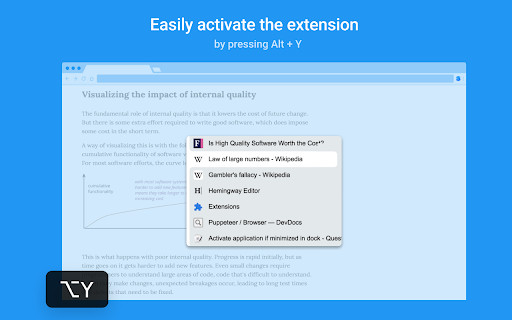
conflicts with next tab chrome shortcut alt + y :(
alt+y only switches me to the last active tab.
Doesn't include grouped tabs in Chrome
It doesn't work well with tab groups
Why you make the process more and more difficult?
I'm sorry, I'm sure you worked very hard on this, but I just don't see the point. CTRL+Tab/CTRL+Shift+Tab cycles between open tabs already, and as far as I can tell, all this extension does is that with a different key combination and a little popup window. When I watched the video and read the description, I thought "No, it's gotta do something else, surely..." but, no, not really. Meanwhile, it reads my browsing history and the content of the sites I'm on. That kinda makes sense based on what it's supposed to do, but since there's already a keyboard shortcut for that, it makes me nervous. Honestly, I don't see the point.
I think this extension is the best I've tried, however it still has several drawbacks: - When I run Chrome PWA app (e. g. Youtube), tab switcher cycles also through these PWA app windows and there are annoying bugs with tab order. - When some browser text box (e.g. search window or address bar) is focused, popup doesn't get displayed. - Zoom problems when using in PDF viewer (if PDF is zoomed in, tab switcher is zoomed out and vice versa). - Sometimes popup stays accidentally displayed and I have to press Enter to switch the tab. Mostly it is when browser is busy (webpage is heavy or still loading). - Bugs specific to particular websites (Google Docs - when switching to some the tab, there is no focus on the document). - Popup switcher is not native browser function, so it is slow sometimes and it doesn't work on special browser pages (new tab, settings etc). It is a shame Chrome doesn't support this natively.
Works great to switch tabs but unfortunately it also activates when closing tabs. Likely won't continue using this extension since it messes up the close tab behavior.
I like this lot when it works however there is a bug somewhere in this where when enabled it allows chrome to bring a different window in the background to the forefront/active window when you close a tab or close a pop up window, have had to disable this extension for the time being as this is massively annoying.
Good, but when closing a tab it switches to the previous opened tab, not convenient when you want to to close a lot of old tabs in a row
chrome run on two desktops. A sorting bug occurs. This makes this extension unusable.
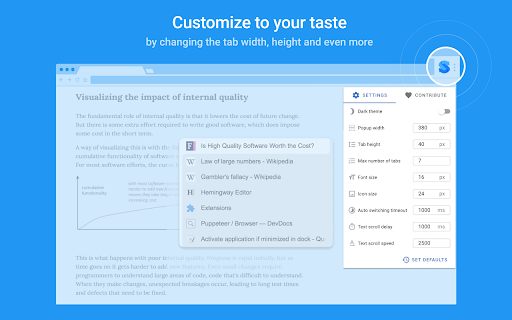
It's good, mostly. However, I try to change the settings, but they're always reverted back to default after I close the settings pop up. Not so great. Would appreciate it if you could fix this issue, the auto switch timeout feature is really annoying. Thanks
add plz option: "Switch to previously active tab in ACTIVE window" thx
Permissions (5)
Permissions
Details
| Version | 2024.2 |
| Updated | Jul 22, 2024 |
| Size | 249KiB |
| First Seen | Mar 30, 2026 |
Popular in accessibility





Popular Extensions




