Wide GPT icon

Wide GPT

by Juan Biscaia

v1.0.7 Updated Dec 19, 2025 110KiB
CWS
10K
Users
★ 4.56
126 reviews
#4918
of 187.5K
workflow
#1496 of 28.8K
Highly rated

Description

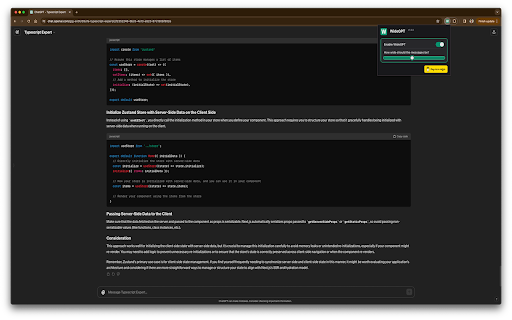
You'll have more room to see and interact with your content with "Wide GPT," whether you're reading a story, writing code for your next big idea, or talking to AI. This extension is great for people who want to make the most of their workspace and avoid eye strain by not having to constantly scroll horizontally or resize their browser window. Simple to set up: just add "Wide GPT" to your Chrome browser, and you're good to go! You don't have to click any buttons or do anything else. The extension works in the background without being noticed and instantly makes ChatGPT's screen as big as it can be. As soon as you start, you'll be able to browse in a bigger and more immersive way. The best part? You can use "Wide GPT" for free. Why wait then? Get "Wide GPT" right now and start easily making the most of your screen space! Release log: 1.0.7 - Fix the project page that was shrinking in the middle of the screen, now that page is ignored, no wide-screen will be applied to it. 1.0.5 - Fixed an issue with the enable/disable switch. - New version to try clearing the cache for Windows users who reported that the extension stopped working. 1.0.4 - Fixed the selectors to capture messages and make it wide again. 1.0.3 - Fixed the manifest.json to apply the extension on top of new ChatGPT URL. - Fixed the selectors to capture the prompt element textarea. 1.0.2 - Fixed manifest.json file to limit content access to https://chat.openai.com/ and cease requesting permission to access content on all websites. 1.0.1 - Enhanced element selector stability to prevent the extension from breaking when CSS classes are modified 1.0.0 - Added popup with preferences to: - Toggle the primary feature of the extension either inactive or active - Choose the width of the messages and prompt text input. - Buy me a coffee button.
Wide GPT screenshot 1Wide GPT screenshot 2Wide GPT screenshot 3

Reviews (11 cached)

★☆☆☆☆2025-06-05
AG

Didn't do jack.

★☆☆☆☆2025-04-19
Anax

It doesn't work, it freezes the page.

★☆☆☆☆2024-11-13
Anuj Sharma

suddenly stopped working on 13 Nov 2024

★☆☆☆☆2024-02-19
Niels Vandekerkhof

As of February: this extension requires "read and change all your data on all websites", while it used to be on "chat.openai.com". Not acceptable.

★☆☆☆☆2024-02-19
Pedram Elmi

I uninstalled the extension because it requested unnecessary permissions to read and change all my data on all websites. It only needs to access chat.openai.com.

★☆☆☆☆2023-09-03
B

Stopped working

★☆☆☆☆2023-09-02
Mhd Ayham Allaham

it doesn't work

★★☆☆☆2025-09-18
Guillaume Fernandez

It works great using base chatGPT however when using ChatGPT's projects/folders feature, the input cell (the "chat", where I input my prompts) is ridiculously small. So much so that I cannot see clickable icons like the one for uploading documents.. Uninstalling this widget and clearing my history didn't help, i'm stuck with a tiny input cell

★★☆☆☆2024-11-27
sreeni

sometimes everything in the screen shrinks even than the default width (using v1.0.4)

★★☆☆☆2024-02-13
Ido Kadosh

There should be an option to resize, or settings to allow for max size. my screen is too big and it wraps the ENTIRE screen. I want to make it a bit bigger than it was, but not TOO big.

★★★☆☆2024-11-26
Oscar Niblett

stopped working today

Permissions (1)

Permissions

storage Can store data locally in your browser

Details

Version 1.0.7
Updated Dec 19, 2025
Size 110KiB
First Seen Mar 30, 2026
