
Description

Reviews (27 cached)
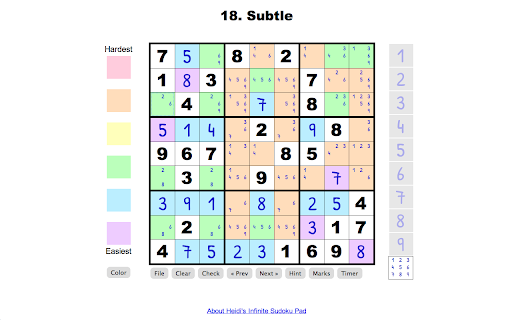
No adds. Supports note marks. Verifies guesses to ease frustration. Works with touchscreen or mouse. Contrast could be better on my old ASUS Windows laptop - converted to Chrome OS, but that is a nit.
There are multiple solutions to many of the harder puzzles, therefore this is not a game of logic it is a game of guessing and trying. I like single solutions.
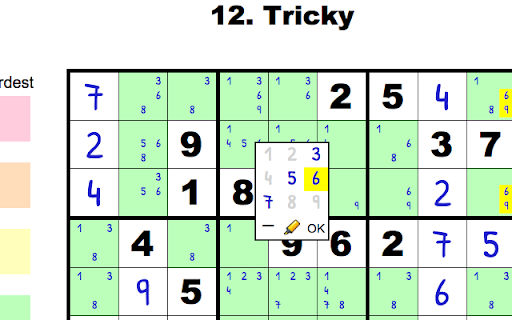
There doesn't seem to be a way to simply add the marks I want myself; instead I have to edit each and every cell because the game populates all of them with every possible number, making the game much more confusing. The shortcut keys make the game far more cumbersome than it need to be. There is not even a straightforward way to choose the level of difficulty I want to play, instead the player has to click through TWENTY FOUR options to get to the desired level It's a very simple game, it need not be such a complicated app to use. Uninstalling.
Potential to be one of the greatest Sudoku app, but for me the most important does not seem to work for me that is filling out unique candidates! So I am going back to Sudoku of the Day on my tiny mobile phone until this is resolved.
This is the worst sudoko app I've seen yet
It was working great for a while, then suddenly the numbers 7, 8, and 9 no show up in notes only as underline characters that are very hard to see.
the input is totally confusing.
to easy
Cannot change levels easy. The number pad option hides the cell.
it doesn't work so it's so stupid
entered number 7 Sucks
It is a bad, bad version of sudoku!!
Probably, one of the worst sudoku apps I've used ever. Interface is hard to use, counter-intuitive, difficulty naming is out of this world (does not seem to depend on actual number of filled spaces, can't be changed), using hints gives me more puzzles than sudoku itself. Terrible. Oh, and when you finally select a number, you have to clear same number in drafts by yourself. This is easy enough to make the app clear remaining "possible spots" for that same number in row, column and block by itself, instead of forcing user to do that manually. Whats the use of a computer if you still calculate everything manually?
did not give selection of levels
Very poor. THe interface is clumsy and it doesn´t even check the numbers you´ve placed on the board.
I wish to give 5 starts to it. But ... Reduced one star for not going to next puzzle some times. I am in 438 puzzle now. If I press next button, it goes back to puzzle 2. I have to press the next button 436 times to come where I left. It happens sometimes only. Reduced one star for the hard levels they declaring. If they say hard level easy, it is very difficult. If they high hard level, it is easy to decode quickly. First give your entry level puzzles to new player and check it. Reduced one more star for not showing all the numbers decoded before in the puzzle. For example, if I take the cursor to the number 1 in the right side box, it should show all the 1's that are already solved in different color. It will be easy to find missed cells.
The "beginner" puzzles are just too hard to complete!
The hints are too cryptic and the input is almost invisible. The beginner puzzle didn't seem very like "beginner" to me. There are better Sudoku apps out there. I'm saying goodbye to this one.
I have much more playable, enjoyable, better looking, better functioning sudoku apps on my phone. Why can't I select a difficulty level? Why doesn't the check button highlight errors? Of course I realize I didn't win, and I see my double-numbers. If I knew why they were doubled, I'd be able to solve the puzzle. Check button should help with that. Hint doesn't seem to do anything. And difficulty seems to be arbitrary, having nothing to do with the title of the puzzle you're playing. Not well executed...
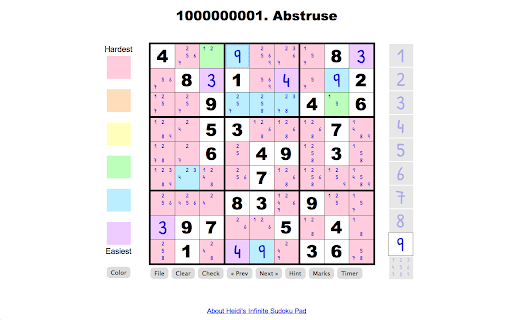
great challenge but bad UI: can't manipulate size or turn it full screen, making the numbers too little to read; can't set difficulty either: you need to skip tons of basic puzzles to find one difficult.
Not that fun but better than most that I tried, and deleted. Xudoku is the best.
Ok... Missing the ability to mark possibilities and show work over time.
Too easy - no real challenge especially because it gives the number to place in each square when you right click on the square to be filled.
i dont like the way it works ive seen better
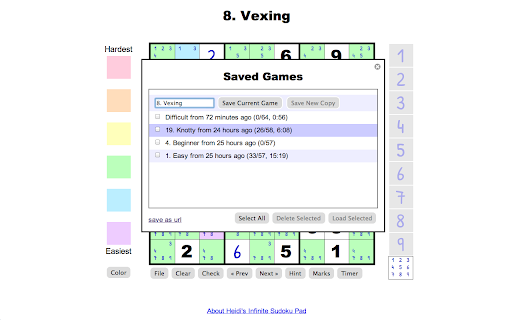
hints need improvement and there needs to be some way to save since I use it at work and if I change computers (or want to use it at home), I will have to start from scratch (yes, I have all sync with the same acc and settings, and most games save the info but this one)
Definitely not a beginner level. No way to mark out numbers that have been completed. No way to highlight across and down a row by clicking on a number. Not as much fun as others I have played.
why is the clear button right next to the action without a confirmation of some sort?!!? arg
Details
| Version | 0.0.0.67 |
| Updated | Jun 13, 2015 |
| Size | 389KiB |
| First Seen | Mar 30, 2026 |
Popular Extensions




