Trinka AI for Chrome icon

Trinka AI for Chrome

by Crimson AI

v0.2.96 Updated Feb 25, 2026 435KiB
CWS
10K
Users
★ 3.50
20 reviews
#5383
of 207.1K
workflow
#1646 of 31.8K
⚠️Requests 1 sensitive permission

Description

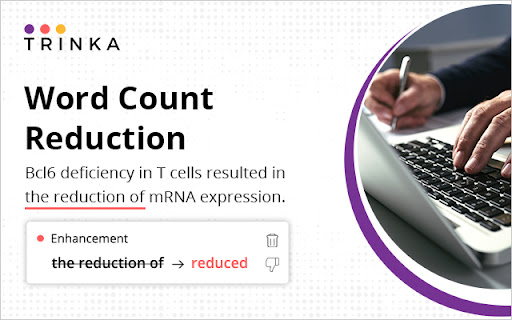
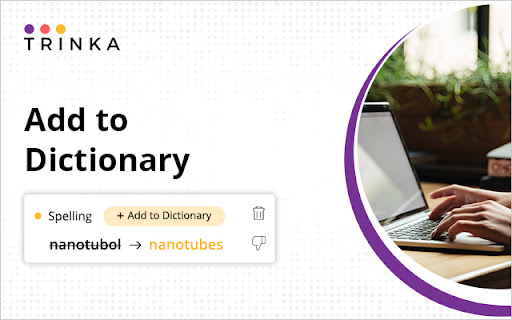
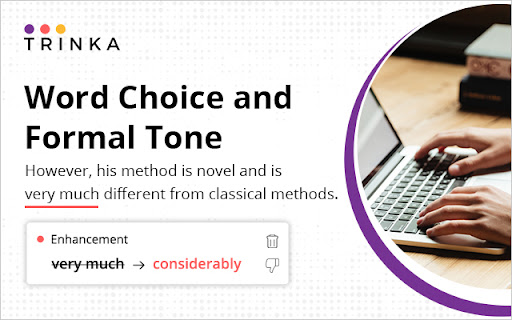
Academic writing needs to be clear, concise, formal, objective, and readable. Trinka, an AI-based writing assistant, helps you improve your writing on all these fronts so your writing can be the best version of itself. It corrects complex grammar errors and goes the extra mile by enhancing your writing for vocabulary, tone, and conciseness. Drawing on the expertise of highly experienced editors and linguists, it finds errors unique to academic writing that other tools don’t as it is specially designed for academic and technical writing. Our Browser extension corrects and enhances your posts and messages in your favorite websites in real time. Write securely and successfully on the go! ● Works where you write Trinka AI for Chrome corrects text entered on many academic writing platforms like Authorea and typeset.io, as well as most websites. ● Completely secure & free to use Chrome Extension is currently offered completely free of cost for individual use. Besides, your data is encrypted with the latest security standards and processed under in a highly secure environment. All data transmission between your browser and our servers is secure. Your data is not shared with any third party. ● Real-time editing No need to wait for the editor to suggest corrections. Chrome extension enables you to makes corrections as you type. ● Add to dictionary Add your own words to "My Dictionary" and Trinka will not flag them as spelling errors in your future writing. ● Correct biased or vague language Chrome extension corrects biased and insensitive language to avoid criticism and make your point effectively. It also helps you make your writing specific and direct while giving it a formal tone so you can impress your readers. By installing the extension, you agree to Trinka’s Terms and Conditions and acknowledge that you have read Privacy Policy.
Trinka AI for Chrome screenshot 1Trinka AI for Chrome screenshot 2Trinka AI for Chrome screenshot 3Trinka AI for Chrome screenshot 4Trinka AI for Chrome screenshot 5

Reviews (7 cached)

★☆☆☆☆2025-10-22
Carlos Alberto (Carlos Alberto)

Absolute trash.

★☆☆☆☆2023-11-08
Florean Fortescue

I paid for this service because I am a science student, and compared with the competitor (you know who) it is painful to use. Also it affects google maps, so that I cannot use it properly, and I have to always turn off this extension before I want to check maps...

★☆☆☆☆2023-07-18
張語恬

I downloaded the plug-in but pop-up window did not pop.

★☆☆☆☆2023-04-04
Anoir Ben Tanfous

Trinka AI for Chrome collects the following: Authentication information For example: passwords, credentials, security question, or personal identification number (PIN)

★☆☆☆☆2023-02-07
Jacob Fry

Claims it is free, the extension is not.

★☆☆☆☆2021-11-21
Ricky L

It's a broken system, takes forever to finish checking and useless advise.

★★★☆☆2024-05-02
Filip

It does not work at all, or sometimes it works spontaneously, but I still cannot accept grammar suggestions. I pasted the text and clicked on it to check for grammar and style, but it did not work. Sometimes, the web client will not bat an eyelid when I import text files. It suggests that I should type at least five words when the text I have added contains 500 words. Disaster is how it was done. Don't use it until they've fixed it. The paraphraser is excellent, by the way, and so is the grammar checker. It finds more mistakes than bloated Grammarly, but these annoying bugs are killing it.

Permissions (5)

Permissions

activeTab Can access the current tab when you click the extension runtime storage Can store data locally in your browser tabs Can see your open tabs and their URLs

Host Permissions

<all_urls> Can access and modify all websites you visit

Details

Version 0.2.96
Updated Feb 25, 2026
Size 435KiB
First Seen Apr 1, 2026
