
Webpage Screenshot - Entire page screenshot!
Description

Reviews (200 cached)
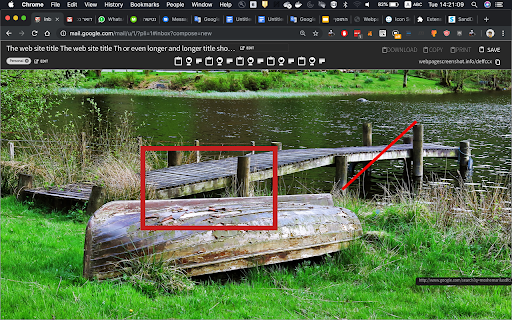
I originally wrote my review February 2025. I just tried it again a year later, and unfortunately the same problems persist. 👎 __________________________________ I just tried 📷 Webpage Screenshot. I took a full page screenshot, but the captured image was fuzzy and lacked clarity. What's even worse, the menu line at the top of the page I was capturing also got bizarrely superimposed in the middle of the captured image! This is dreadful... 🙀 Compared to that, the other extension I tried (📷 GoFullPage) captured the whole page _perfectly_ with no loss of resolution, and no weird artifacts. It gave me downloading options of either an image (default is PNG but you can go into [⚙️Options] and choose JPG), or as a PDF. You can do both as well. For these reasons, I am now uninstalling Webpage Screenshot and will stick with GoFullPage instead!
Doesn't do anything except display a banner of unavailable choices at the top of your web page. Extension exists to shower you with advertisements for other software. "Whole Page Screenshot" doesn't work. "Visible Screenshot" doesn't work. "Edit Content" doesn't work. This kind of deceptive and predatory extension should not be allowed on Chrome.
Cuts off vital info when I take a whole screen shot. Useless to me.
Not working. I click the "Whole Page Screenshot" button and it just scans the whole page, reaches the bottom, and the page freezes. No image file provided.
Used to love this extension, but it's broken since the last update. It does nothing anymore.
Stopped working since the update.
Stopped working
The extension keeps opening the companies website when opening Chrome. Please stop that, it's already installed, don't need to bring to your website all the time!!! Will have to remove or disable this extension since it's so annoying, reminds of those free games on our phones that has publicity at every single level :(
Current version doesn't work, no setting changes help, not the only one to have this issue. Usually a five star extension but no good if it doesn't work.
Very bad after updates, and they spam browser.
Broken after last update. When you fix it?
Used to work perfect and the last update just stays stuck on Loading...
Not working at all, bring back the original, if it isn't broken, don't fix it!
this new version is bad
Fake. Does not work
Auto scroll is not working; it just screenshots the current screen
Horrible.
the worst one ever i tried, if i download the page i have to give 5star rating. don't use this extension
Last update is from 2020. The "auto scroll" feature, which is literally the only interesting thing from this extension, doesn't work. There is not a "history" or a log of previous attemps and screenshots.
this sounds good but after i installed it, i see no bookmarks bar or main menu or R-click menu icons or items that activate it for use! i also tried installing another one like this, same problem! why?
using windows 10. i click autoscroll > save screen snapshot but all this extension does is scroll and then displays capturing, capturing, capturing, capturing..... it just keeps capturing forever. it never completes.
this extension did not auto scroll like it says.
Installed it so I could screenshot longer Google Calendar search results. It did NOT auto scroll like it says it's supposed too.
fullpage sc isn`t working. other part is black
WON'T SCROLL. BAD QUALITY IMAGES.
does'nt work as expected to
Not Useful Bad Extension
piece of garbage!
Doesn't work, will remove it now.
Entire page / auto scroll screenshot doesn't work
The autoscroll feature doesn't work, which makes this tool worthless since you can use the screenshot tool that comes with your OS.
It doesn't progress past capturing...
Perhaps these good reviews predate its apparent abandonment nearly two years ago. Downloaded to laptop in 2021, its only access was via toolbar icon. And then the only options offered were regular and fixed. Both of which produced useless grab of current window. (Very different to the multi-option menu seen in the extension's Chrome WebStore page). Retried in 2022, zero access at all as the icon is gone! Dev's site now seems to be ads for other dodgy downloads.
Don`t work
doesn't work correctly
In the first few months, it works fine. But from the last few days in "Auto Scroll" screenshot mode it scrolling automatically to the page but at the bottom of the page it gets stuck and nothing happens. It's really annoying. I couldn't take any screenshots. Please fix that bug. I will update my review.
Won't capture whole pages. It gets stuck at "Capturing".
This doesn't take a screenshot of the ENTIRE web PAGE, like I wanted. It only takes a screenshot of what's on your SCREEN. I don't want to scroll and take 6 screenshots to get an entire page's screenshot.
does not work
how to see the photo once the photo has been clicked
asking someone to rate your product to use the product is a very bad idea. will be removing the plug.
I'm looking for something to capture the whole webpage in one document, not just the visible bit.
Spamware, constantly bombards you with advertising.
With the new update, I can no longer grab a full page screenshot. There's a button for "auto scroll" which I don't know what that's supposed to mean, but it does nothing different than "regular". Please fix or provide instructions. The old version was perfect why would you change it?
Used to work perfectly. Now stuck on loading. Please fix it quick and don't change a thing!
I have been using this extention for years, but the latest release ruined it. $5 per month for features that used to be free. $60 a year, every year, forever. No thanks. Also, the new interface is ulgy and not as user friendly.
This used to be a useful extension until the new release (40.0.0), which really wants you to pay $5 a month. If it's still possible to save screenshots to your computer with this extension, the feature is now extremely difficult to find. I switched to FireShot and it does everything I need without wanting a monthly fee.
Cannot understand how anyone likes this addon. It's ugly and I can't for the life of me figure out how to get the screenshot onto my computer. Times New Roman for the font pretty much says it all. Don't bother if you want something quick, simple and intuitive; just use FireShot.
since latest release the add-on's settings aren't accessible. usually you'll need the settings in order to change format from png to jpg for pic capture. can not scroll & capture anymore.
My time is more vauleable than to set for hours trying to find out what you are doing and do I need it! Too much garbage to add to my computer and what are you trying to accomplesh ? What do I need to download? wayne callaway
Permissions (4)
Permissions
Details
| Version | 60.0.0 |
| Updated | Feb 22, 2025 |
| Size | 798KiB |
| First Seen | Mar 27, 2026 |
More by Webpage Screenshot

Popular in workflow




Popular Extensions
