
Description

Reviews (33 cached)
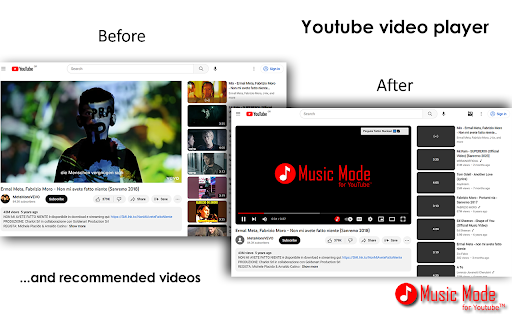
Unfortunately, it consumes exactly the same amount of Bandwidth (and with that energy) that it would otherwise if the video was normally playing. The video is playing in the background, it's just an overlay.
please add a mark on the video that I have already watch. and sorry for the 1 star because i've seen you responding to a low score comments and I will change it later
The only reason one would want a *music mode* is to save bandwidth by loading only the audio and not the video. This app is not doing that. All this does is stick a JPEG on top of the video and call it a day, one is still downloading the whole video. If that's all that the extension does, the minimize button does a better job at it. Not disclosing that clearly on the page, and still keeping the now-conflicting description on the extension overview, is a dick move.
unfortunately useless on youtube music because for some reason every song plays good luck babe by chappell roan? i like that song but I can't use the extension then :( I love how it hides the pictures but still giving 1 star because the music is broken
I dont really like it.
youtube picks it up as adblocker and wont let you use the site when active.
No longer works unfortunately.
It uses the same amount of CPU and internet as without this extension. A hopeless add-on that just covers the video with a black background that says "Music Mode".
Not working. Infinite loading.
Not working
Not working to me. Chrome on windows 7. It just do nothing.
it doesnt works, after activating the video just wont play
Does not work. Enabled or disabled, the video on Youtube Music keeps displaying.
worst
The extension is great, but having to reconfigure it every time it randomly decides to reset its settings is tiring.
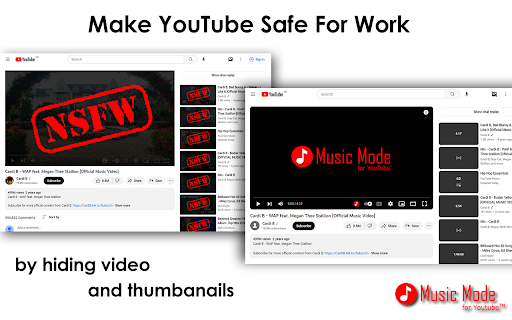
it does not block the video it just use an image to cover the video so its still use a lot bandwidth and battery.
Doesn't seem to be saving bandwidth at all as for me. I encourage the author to shed some light at this nuance and fix the description if it is wrong. Am I using it in some wrong way?
Needs update immediately
not working for ytmusic
ironically it increased my cpu usage from %3-%4 to %20. looked clean tho
Even after I set its access as "when I click it", it still affected my youtube page that couldn't show any image on the whole page.
background play is disabled... i don't know what happen...
Exactly what i was looking for, highly customizable Edit: Currently kind of broken when i want to enable images back
It just replaces the YT display with video wallpaper whence the video keeps playing in the bkg. I was looking to download only the audio channels while blocking the video channels to save bandwidth etc.
Worked for a while, now apparently YouTube thinks it's an ad blocker. It's not. YouTube is dumb.
YouTube Detects the extension. Waiting for it to be fixed.
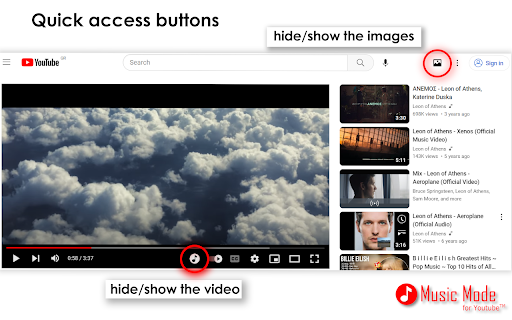
Slow and buggy when switching, give a simple option to just hide the videos, not blocking them. I don't mind saving energy, I just want to hide the videos sometimes.
Not bad, but recent newly required permissions that I see as unnecessary have pushed me in another direction. Here's what I want from an extension like this: 1. Block video stream for listening to music only and saving bandwidth. 2. Block ads to save bandwidth, and also because many Google Ads are disgusting; some even arguably pornographic. I have young boys I'm trying to raise to respect and honor women, not objectify them and fall into addiction. 3. NOT SPY on me or collect ANY info whatsoever, other than the bare minimum necessary to debug defects in the code. Explain to me how browsing history or other personal data is needed for any of the above? It's not! If need be, I'll write my own extension. It's not that complicated. Each of the two features above should be independently togglable (in case someone actually likes the ads), and should ONLY work on YouTube proper and YouTube Music products. It should have access to no other domains, and no cookies, and should not exfiltrate any data off the client system notwithstanding the exception listed in requirement #3, and even that, only by opt-in consent of the user. Beg the user to enable, I don't care, but it should NOT be enabled by default. Instead, if a crash or error occurs, notify the user that the exception was caught, give them an option to review the data contained in the package, and ask them to forward it to you (the developer) so you can debug it for future stability improvements. I haven't looked into it, but surely there are libraries out there to streamline this process. In case it wasn't obvious by now, I'm a professional Software Engineer, so I have at least some idea what I'm talking about. Privacy and security should always be king, and yes, these are separate topics. I would even argue that the former is dependent, at least to a degree, on the latter, but I digress.
It only works for the live stream.
Okay it works but it does not lower the CPU usage and that is the ultimate goal to use the extension. Sorry I'm going to uninstall it since it does no difference whatsoever.
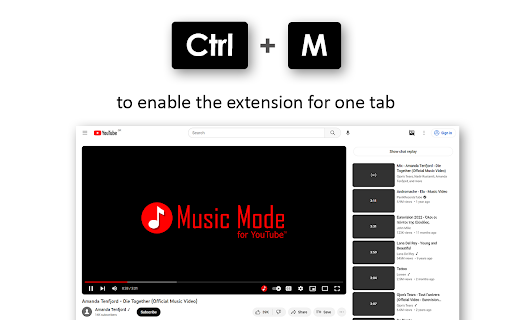
quite good, except i cant this functionnality auto-enabled on music.youtube.com but NOT on youtube.com
Overview is ambiguous i.e. at the bottom it mentions live streaming and under that conditions to block video but it's unclear whether this relates to live streaming only or all videos. Options appear on a list on my computer but with no option available to select or de-select; maybe it's an issue with having an intelligent colour scheme i.e. black background.
it's work on current youtube, but please add support for youtube music i playing music everyday on that, please add support to it, track can't play if extention is enable, just loading animation. thanks
Permissions (4)
Permissions
Details
| Version | 6.5.16 |
| Updated | Mar 23, 2026 |
| Size | 110KiB |
| First Seen | Mar 30, 2026 |
More by Thunderarea

Popular in workflow




Popular Extensions
