
User Count Trend
Loading...
Description
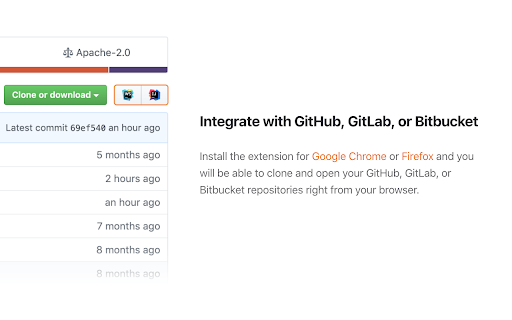
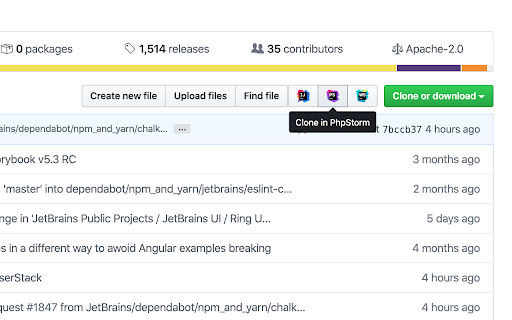
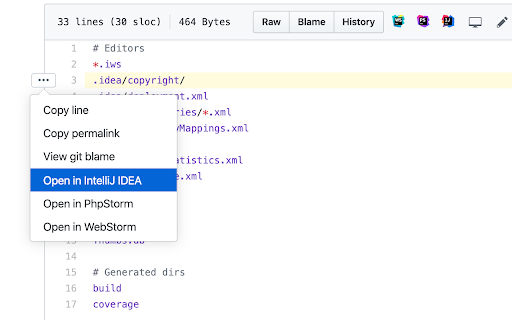
The extension adds buttons that allow you to clone and open projects from GitHub, GitLab, Gitee, and Bitbucket in IntelliJ-based IDEs.
Note: The Toolbox App must be installed on your computer to make the extension work. Download the Toolbox App from https://www.jetbrains.com/toolbox-app.
To open the projects from self-hosted GitHub, GitLab, and Bitbucket instances, make sure to enable the extension for your website by ticking “Enable on this domain” in the extension settings menu.
If you encounter any problem using the extension, please create an issue request at our tracker: https://youtrack.jetbrains.com/issues/TBX
Would you like to collaborate on the extension? Because you can! It's an open-source project. Here is the repository address: https://github.com/JetBrains/toolbox-browser-extension

Reviews
Loading reviews...
Permissions (4)
Permissions
activeTabℹ Can access the current tab when you click the extension contextMenusℹ Can add items to the right-click menu scriptingℹ Can inject scripts into web pages storageℹ Can store data locally in your browser
Details
| Version | 3.0.0.53847 |
| Updated | Aug 27, 2025 |
| Size | 279KiB |
| First Seen | Mar 21, 2026 |
Ad space
Popular in developer

Lighthouse
by lighthouse-extension-owners
1M
★ 4.42
developer
1M
★ 4.42
developer

SEO META in 1 CLICK
by Bilal Hadri
900K
★ 4.87
developer
900K
★ 4.87
developer

CRXLauncher
by CRXLauncher
800K
★ 4.57
developer
800K
★ 4.57
developer

Tag Assistant Companion
by Google
600K
★ 3.08
developer
600K
★ 3.08
developer

Google Analytics Debugger
by Google Analytics
600K
★ 4.18
developer
600K
★ 4.18
developer
Popular Extensions

Cisco Webex Extension
by cisco.chromestore
24M
★ 2.34
social
24M
★ 2.34
social

Kami for Google Chrome™
by Kami
17M
★ 4.56
education
17M
★ 4.56
education

uBlock Origin
by Raymond Hill (gorhill)
15M
★ 4.70
privacy
15M
★ 4.70
privacy

Custom Cursor for Chrome™
by BLife Team LLC
5M
★ 4.67
fun
5M
★ 4.67
fun

DuckDuckGo Search & Tracker Protection
by DuckDuckGo
4M
★ 4.24
privacy
4M
★ 4.24
privacy