
Tab Scroller - Guitar Tab Auto Scroll icon

Tab Scroller - Guitar Tab Auto Scroll

by tabscroller

v2.0.0 Updated Nov 1, 2024 821KiB
CWS
8K
Users
★ 4.25
48 reviews
#3491
of 80.1K
workflow
#1036 of 12.3K
⚠️Not updated in over a year ⚠️Requests 1 sensitive permission

Description

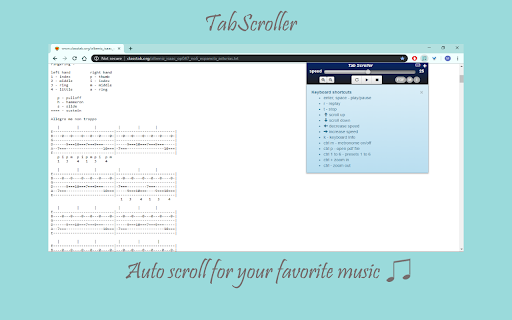
Tabscroller is an auto scroll and metronome tool which is able to auto scroll any web site, Text file, google docs or PDF file. It is very useful for music reading (sheet music, tablatures, notes, chords...) for any instrument. Tabscroller was developed especially for music reading in order to minimize distractions from you’re playing to scroll the page. Tabscroller works on any web site and you can find others usages for it such as: reading, pictures ... and more. ** the app itself does not contain any tablatures or files it just gives the ability to auto scroll them. ✓ Easy to use - play, pause, stop (scrolls to the top of the page) and replay buttons ✓ PDF files - load your own PDF files locally ✓ Google Docs - load your own google docs files ✓ Text files - load your own Text files locally ✓ Metronome - enable/disable metronome click while auto scrolling ✓ Choose your own scroll speed - you can set your own scroll speed by clicking on one of six presets or manually. ✓ Zoom in/out ✓ Save your settings - settings are saved automatically for each url and will be loaded each time you return to it. ✓ Full keyboard control - each control on the panel can be controlled via a keyboard shortcut. Just click the info icon and the full list of the shortcuts will appear ✓ Three display modes - Regular, Minimized and Keyboard mode Keyboard shortcuts enter, space - play/pause r - replay t - stop ↑ - scroll up ↓ - scroll down ← - decrease speed → - increase speed k - Keyboard Info ctrl p - open pdf file ctrl m - metronome on/off ctrl 1 to 6 - presets 1 to 6 ctrl + zoom in ctrl - zoom out
Tab Scroller - Guitar Tab Auto Scroll screenshot 1Tab Scroller - Guitar Tab Auto Scroll screenshot 2Tab Scroller - Guitar Tab Auto Scroll screenshot 3Tab Scroller - Guitar Tab Auto Scroll screenshot 4

Reviews (7 cached)

★☆☆☆☆2022-04-17
Mac Newton

Worked fine on a select few sites, the PDF feature completely doesn't work and I can't access the website at all.

★☆☆☆☆2020-07-26
John Franklin (RockyFolk)

I don't know if it works or not because I can't get it to download to the desktop of the Tablet. It SAYS it has (4 times); but, is no where to be found. I've never had an app do this to me.

★☆☆☆☆2020-03-09
Paul Armstrong

The extension and the service are free and and offer a great capability for reading tabs and music within Chrome. Problem is (on executing any function within the extension): IT DOESN'T WORK!! 503 Errors! URL Not found!! This renders the extension to a great 'fool-around' widget, but as is, I would NEVER rely upon it at a gig or a jam. It might work for a second, and then you're left hanging. Very unfortunate. I would pay for a functional extension that does what Tab Scroller does, but I'm at least relieved I didn't buy it.

★☆☆☆☆2020-03-05
Ezzy989

HATED IT. Why Can it not go down? Ill Start Using it again when it can scroll DOWN

★★☆☆☆2023-09-09
Sarah Keeton

i need it to be WAY faster and it wont work when ur on another tab

★★★☆☆2021-02-11
Dave

Funny extension, really good if you want a laugh while browsing

★★★☆☆2016-12-31
Mainuddin Ratan

gd

Permissions (3)

Permissions

management Can manage other installed extensions storage Can store data locally in your browser tabs Can see your open tabs and their URLs

Details

Version 2.0.0
Updated Nov 1, 2024
Size 821KiB
First Seen Mar 26, 2026


