
TrackerJam - Automatic Time Tracker and Web Analytics
v1.1.0 Updated Jun 17, 2024 253KiB
⚠️Not updated in over a year ⚠️Requests 1 sensitive permission
Description
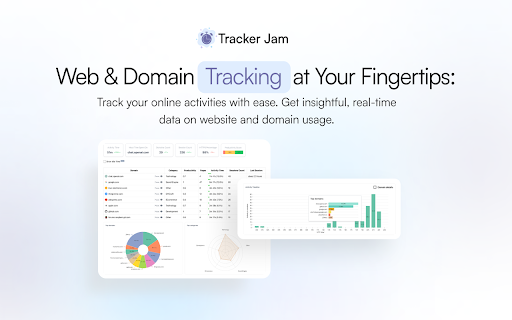
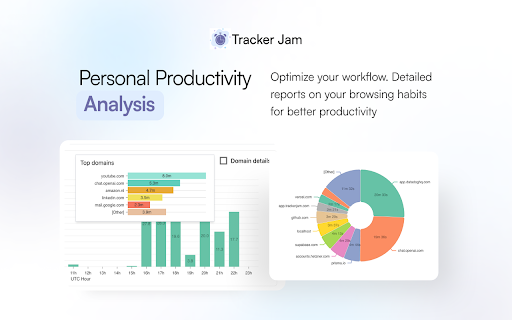
Track your own or your team's work time to understand browser usage habits and achieve peak performance. Get detailed analytics on the use of websites.
Tracks time, domains, productivity and more
TrackerJam analyzes your team's web browser activity, providing detailed insights into core time metrics and essential productivity reports.
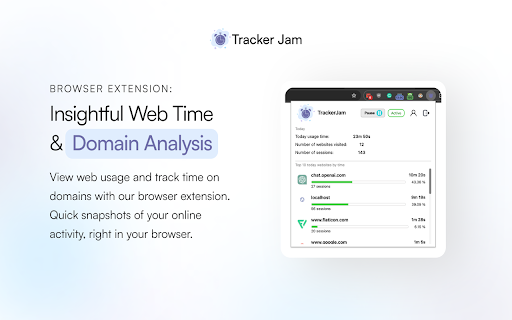
TrackerJam is a combination of a Chrome extension to analyze activity and a Web app to see the insights.
Features:
✅ Get full detailed information about the websites visited
✅ Automatic start and stop of the tracker according to your settings
✅ Compare the statistics of working hours by day
✅ Track time and get the complete picture of your work day with zero effort
✅ Settings of working hours and working hours for each day
✅ Track time on specified websites or exclude any websites


Reviews
Loading reviews...
Permissions (8)
Permissions
activeTabℹ Can access the current tab when you click the extension alarmsℹ Can schedule periodic background tasks idleℹ Can detect when you're away from the computer managementℹ Can manage other installed extensions notificationsℹ Can show desktop notifications storageℹ Can store data locally in your browser tabsℹ Can see your open tabs and their URLs unlimitedStorage
Details
| Version | 1.1.0 |
| Updated | Jun 17, 2024 |
| Size | 253KiB |
| First Seen | Mar 27, 2026 |
Popular in workflow

Adobe Acrobat: PDF edit, convert, sign tools
by Adobe Inc.
331M
★ 4.40
workflow
331M
★ 4.40
workflow

Chrome Remote Desktop
by Chrome Remote Desktop Release Managers
38M
★ 3.14
workflow
38M
★ 3.14
workflow

Microsoft Single Sign On
by Microsoft
36M
★ 2.27
workflow
36M
★ 2.27
workflow

MetaMask
by metamask
13M
★ 2.68
workflow
13M
★ 2.68
workflow

Microsoft Power Automate
by Microsoft Corporation
10M
★ 1.99
workflow
10M
★ 1.99
workflow
Popular Extensions
Adobe Acrobat: PDF edit, convert, sign tools
by Adobe Inc.
331M
★ 4.40
workflow
331M
★ 4.40
workflow

Grammarly: AI Writing Assistant and Grammar Checker App
by Grammarly
42M
★ 4.50
communication
42M
★ 4.50
communication
Chrome Remote Desktop
by Chrome Remote Desktop Release Managers
38M
★ 3.14
workflow
38M
★ 3.14
workflow
Microsoft Single Sign On
by Microsoft
36M
★ 2.27
workflow
36M
★ 2.27
workflow

Cisco Webex Extension
by cisco.chromestore
23M
★ 2.34
social
23M
★ 2.34
social