
⚠️Not updated in over 2 years
Description
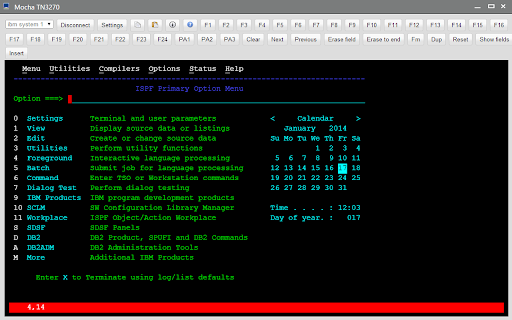
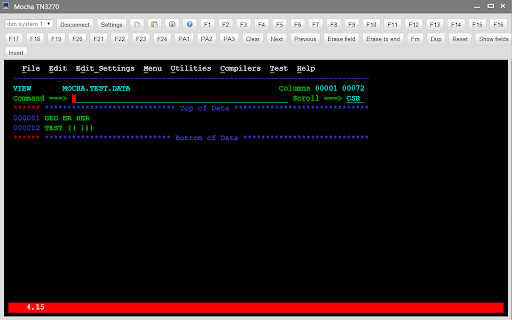
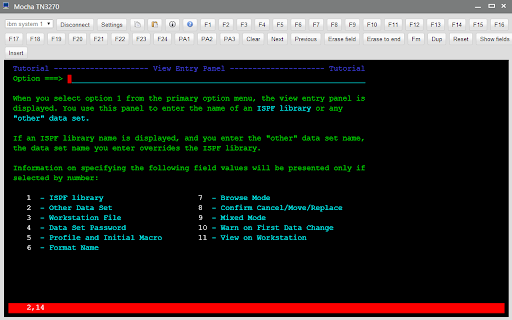
Mocha TN3270 provides TN3270 emulation for IBM Mainframe Access.
*** IMPORTANT ***
We recommend using Mocha TN3270 for Chromebook, as Google will soon stop supporting Chrome Apps.
https://mochasoft.dk/chromebook_tn3270.htm . Find it in the Google Play Store.
Mocha TN3270 Features:
- Operating Systems: Chrome OS 30.x or better.
- Supports all standard 3270 emulation features
- TLS 1.0/1.2 with AES128 encryption. Certificates are not supported.
- Alternate screen size (24x80 or 32x80)
- Hotspots (Fxx= and URL text in the 3270 screen can be used as buttons)
- Smart font handling. The font size follows the Window size
- Functions keys F1-F24 are part of the Toolbar
- Autologin
- Clipboard
- Lifetime free upgrades to new versions of the product
This is a free 30 days trial. A license is 29.85 USD, or 299 USD for a company license.
Changes:
1.1: TAB + ENTER key could activate the toolbar elements, such as pop up settings screen.
1.2: TAB + SPACE key could activate the toolbar elements, such as pop up settings screen.
1.3: screen could not always change to 32x80 mode.
1.4: added TLS 1.2 and new network layer

Reviews
Loading reviews...
Permissions (4)
Permissions
clipboardReadℹ Can read from your clipboard clipboardWriteℹ Can write to your clipboard contextMenusℹ Can add items to the right-click menu storageℹ Can store data locally in your browser
Details
| Version | 1.4 |
| Updated | Jun 27, 2020 |
| Size | 128KiB |
| First Seen | Mar 22, 2026 |
More by mochasoft

Popular Extensions

Adobe Acrobat: PDF edit, convert, sign tools
by Adobe Inc.
330M
★ 4.40
workflow
330M
★ 4.40
workflow

Chrome Remote Desktop
by Chrome Remote Desktop Release Managers
38M
★ 3.14
workflow
38M
★ 3.14
workflow

Cisco Webex Extension
by cisco.chromestore
24M
★ 2.34
social
24M
★ 2.34
social

Kami for Google Chrome™
by Kami
17M
★ 4.56
education
17M
★ 4.56
education

Read&Write for Google Chrome™
by Texthelp
17M
★ 3.44
accessibility
17M
★ 3.44
accessibility