
User Count Trend
Loading...
Description
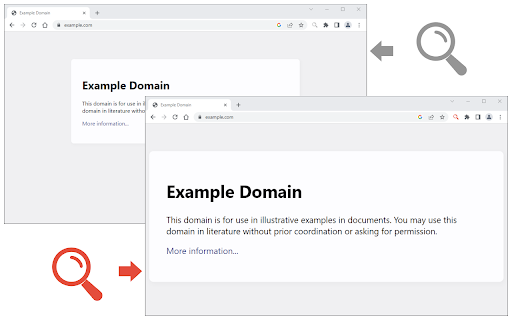
Custom Page Zoom extension lets you set separate zoom levels for each website. Besides, you can set the X and Y positions for each page.
Some features:
1. Add custom zoom levels for each website easily from the browser's toolbar popup window.
2. Set X and Y positions for each page.
3. Save button stores the settings for individual pages.
4. You can delete each setting from the toolbar popup window by clicking on the close (x) button.
5. There is also an option to set a zoom level for all websites by adding "*" instead of a "URL".
6. To quickly turn the Addon ON or OFF, there are two separate buttons at the popup UI, top section.
To add a custom zoom level, (a) simply open the toolbar popup UI, (b) change the zoom slider to adjust the magnifying scale, (c) then change the other two sliders for X and Y positions, (d) and finally click on the add (+) button. The settings will be saved for the page you selected (the URL for each page will be automatically added to the popup UI once you open it, however, you can change it to your desired value).
Note: to report bugs, please visit the addon's homepage (https://mybrowseraddon.com/custom-page-zoom.html) and fill the bug report form.

Reviews
Loading reviews...
Permissions (2)
Permissions
activeTabℹ Can access the current tab when you click the extension storageℹ Can store data locally in your browser
Details
| Version | 0.2.0 |
| Updated | Jan 6, 2026 |
| Size | 43.92KiB |
| First Seen | Mar 21, 2026 |
Ad space
More by Grephy

Popular in tools

Monica: All-In-One AI Assist & Smartest AI Agent
by Monica Team
3M
★ 4.89
tools
3M
★ 4.89
tools

WPS浏览器助手:文档在线阅读编辑
by 金山PDF
2M
★ 2.90
tools
2M
★ 2.90
tools

Pie Adblock - A Powerful Free Ad Blocker
by Pie Extensions
2M
★ 4.90
tools
2M
★ 4.90
tools

Ecosia - The search engine that plants trees
by Ecosia GmbH
1M
★ 4.70
tools
1M
★ 4.70
tools

ВПН для YouTube без ограничений в России. Ускорить ютуб на ПК
by Extension
900K
★ 4.70
tools
900K
★ 4.70
tools
Popular Extensions

Adobe Acrobat: PDF edit, convert, sign tools
by Adobe Inc.
330M
★ 4.40
workflow
330M
★ 4.40
workflow

Cisco Webex Extension
by cisco.chromestore
24M
★ 2.34
social
24M
★ 2.34
social

Kami for Google Chrome™
by Kami
17M
★ 4.56
education
17M
★ 4.56
education

uBlock Origin
by Raymond Hill (gorhill)
15M
★ 4.70
privacy
15M
★ 4.70
privacy

Custom Cursor for Chrome™
by BLife Team LLC
5M
★ 4.67
fun
5M
★ 4.67
fun