
⚠️Not updated in over 2 years
User Count Trend
Loading...
Description
Updates
- Add support for git patch
Features
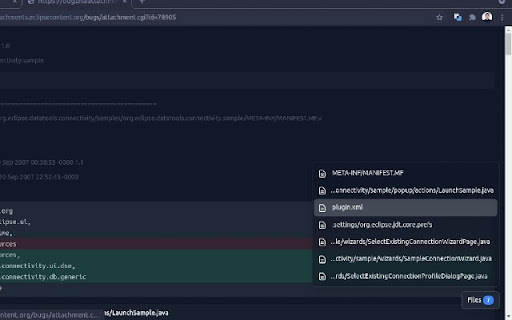
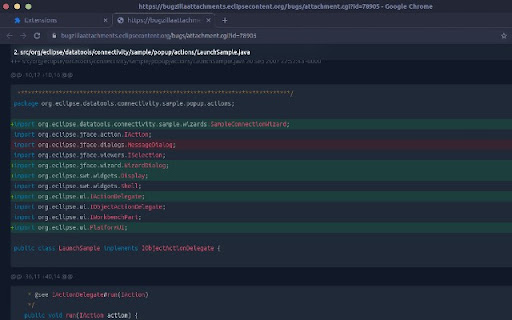
- Code syntax highlighting
- Light/ dark mode
Usage
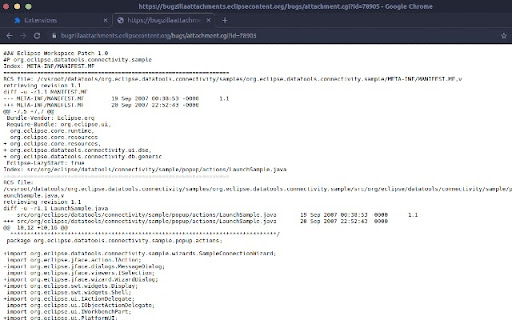
1. Open a code patch file on a Chrome browser
2. Click on the ecdiff extension icon
Toggle dark mode on options page: Right click on the ecdiff extension icon then click on "Options".
To format local code patch files at file:///, enable "Allow access to file URLs" on chrome://extensions/?id=jockmidhjggcfnfdinaihmndknopjjij.
Supported
- git diff
- unified diff code patches created with Eclipse IDE
- unified diff code patches created with CVS diff
Open source
https://github.com/earvinpiamonte/ecdiff

Reviews
Loading reviews...
Permissions (3)
Permissions
activeTabℹ Can access the current tab when you click the extension scriptingℹ Can inject scripts into web pages storageℹ Can store data locally in your browser
Details
| Version | 0.2.0 |
| Updated | Apr 27, 2022 |
| Size | 484KiB |
| First Seen | Mar 21, 2026 |
Ad space
Popular in developer

Lighthouse
by lighthouse-extension-owners
1M
★ 4.42
developer
1M
★ 4.42
developer

Контур.Плагин
by kontur.extension
1M
★ 3.11
developer
1M
★ 3.11
developer

Similarweb - Website Traffic & SEO Checker
by Similarweb
1M
★ 4.66
developer
1M
★ 4.66
developer

SEO META in 1 CLICK
by Bilal Hadri
900K
★ 4.87
developer
900K
★ 4.87
developer

影刀RPA
by sanco1987
900K
★ 3.46
developer
900K
★ 3.46
developer
Popular Extensions

Adobe Acrobat: PDF edit, convert, sign tools
by Adobe Inc.
330M
★ 4.40
workflow
330M
★ 4.40
workflow

Cisco Webex Extension
by cisco.chromestore
24M
★ 2.34
social
24M
★ 2.34
social

Kami for Google Chrome™
by Kami
17M
★ 4.56
education
17M
★ 4.56
education

uBlock Origin
by Raymond Hill (gorhill)
15M
★ 4.70
privacy
15M
★ 4.70
privacy

Custom Cursor for Chrome™
by BLife Team LLC
5M
★ 4.67
fun
5M
★ 4.67
fun