
⚠️Not updated in over a year
User Count Trend
Loading...
Description
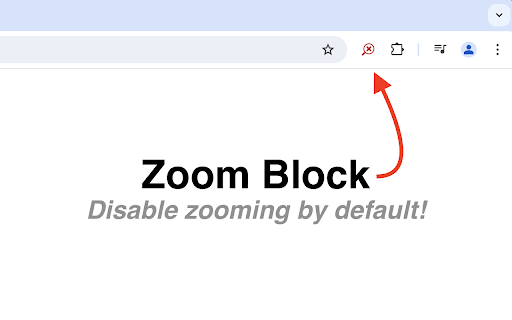
Zoom Block disables zooming in Chrome by default preventing unwanted or accidental zooming. Zooming can be re-enable on a per-tab basis by clicking the Zoom Block icon.
FAQ:
Q: What permissions does Zoom Block require?
A: Zoom Block does not require any permissions. Through careful handling of errors, Zoom Block is able to operate without access to any sensitive information.
Q: Does Zoom Block use analytics?
A: No. Zoom Block respects its users' privacy. No network requests of any kind are ever made.
Q: Can Zoom Block "lock" a custom zoom level?
A: The browser extension API does not offer an elegant way to accomplish this. The best option is to change the browser's default zoom level. Chrome's default zoom settings can be found in Settings -> Appearance -> Page Zoom. Zoom Block will then prevent modifications to the set level.
Q: Why does Zoom Block's icon sometimes turn gray?
A: Some browsers do not allow extensions to modify certain pages (typically internal or settings pages). Zoom Block is therefore unable to prevent zooming on those pages, and the icon will turn gray to indicate such a situation.
Q: I found a bug! Where can I submit a report?
A: Please open an issue on GitHub (https://github.com/warnellw/Zoom-Block/issues) with a detailed description. Pull requests welcome!
License:
Zoom Block is licensed under GPLv3. The source code can be found here: https://github.com/warnellw/Zoom-Block
Reviews
Loading reviews...
Permissions (1)
Permissions
storageℹ Can store data locally in your browser
Details
| Version | 2.0.0 |
| Updated | Aug 11, 2024 |
| Size | 36.94KiB |
| First Seen | Mar 21, 2026 |
Ad space
Popular in accessibility

Chrome Browser Lockdown
by Castle Learning
100K
★ 1.25
accessibility
100K
★ 1.25
accessibility

Chessvision.ai Chess Position Scanner
by pkacprzak
100K
★ 4.61
accessibility
100K
★ 4.61
accessibility

Chromium Wheel Smooth Scroller
by kataho
80K
★ 4.44
accessibility
80K
★ 4.44
accessibility

Google Translate Plus
by Bart Solutions
80K
★ 4.58
accessibility
80K
★ 4.58
accessibility

RoRegion – Reduce Lag, Ping & Boost FPS: Roblox Region Selector
by kadenliare
70K
★ 4.46
accessibility
70K
★ 4.46
accessibility
Popular Extensions

Cisco Webex Extension
by cisco.chromestore
24M
★ 2.34
social
24M
★ 2.34
social

uBlock Origin
by Raymond Hill (gorhill)
15M
★ 4.70
privacy
15M
★ 4.70
privacy

DuckDuckGo Search & Tracker Protection
by DuckDuckGo
4M
★ 4.24
privacy
4M
★ 4.24
privacy

Microsoft Defender Browser Protection
by Microsoft Corporation
2M
★ 4.15
workflow
2M
★ 4.15
workflow

Pop up blocker for Chrome™ - Poper Blocker
by dingosolutions
2M
★ 4.76
workflow
2M
★ 4.76
workflow