
Description
Reviews (6 cached)
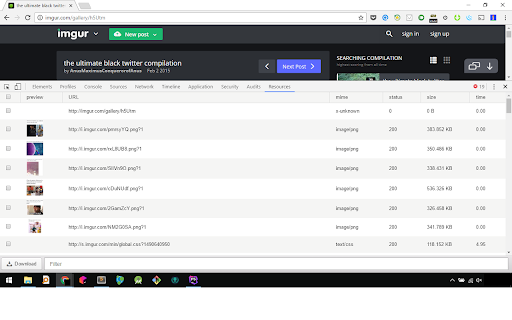
Doesn't seem to work. Is it because Resources tab has been renamed to Application?
this is totaly fake extention. it just shows resources and this functionalty is inbuilt in all browser. so not like any more... dont download
Froze my desktop. This extension asks you to download a file by its own file save dialog box. So if you select 20 items and click to download it will open 20 dialog boxes and freeze your desktop. Highly not recommended
Not working. Download buttion is displayed but not working at all. Been trying for over an hour now. Didnt download a single thing. The extension is good but the functionality is not actually functional. Right now its more of a show..
You have a review from 26th February: Good but add possibility to download zip archive with all icons Here my 2 cents: There is a download button. Great. There is a filter. Great. There is a select all button. Great. What would I expect as user? That I can download all the files at once with just 1 click. This extension doesn't do it yet. I get asked for each file where to download it instead of a whole ZIP folder. If you open some website want to dump 1000 PNGs, you don't want to be asked 1000 times where to download each file. You want 1 download. You want the big advantage if you use a browser extension. Please add a download ZIP button for all selected files.
Hello Dev, Hope you are doing well. Here are some points of my observations while using it. My browser is Brave . 1) While saving resources( images in my case) of my choice , after selection whenever i click the download all the selected files downloaded 2 times. so in my test 68 files I had chosen by it downloaded 136 files and I had to delete all duplicates manually. So please try to solve this or let me know how to fix this. 2) There is now option to download or save files in timely manner, it is important for me cause the resources I was trying to download is some document pages but in image formats which i can browser via online image view embedded on that site. The file names are random and different from each other. So if i can save them per the time of loading the resource then i can easily arrange and rename them. 3) please also add option to save multiple files same time but my preferred location during download. As of now I have turned off the 'save where to download each time' option which by default saving in downloads folder. And it is kind of okay as of now. Thanks for your hared work. i look forward to see more improvements . Thanks & regards, Bappa.
Permissions (1)
Permissions
Details
| Version | 0.0.6 |
| Updated | Jun 1, 2022 |
| Size | 200KiB |
| First Seen | Mar 24, 2026 |
More by cI_-__-_Io

Popular in workflow





Popular Extensions


