
⚠️Not updated in over a year
Description
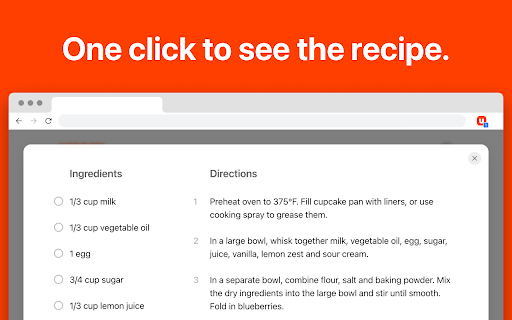
Click the Umami button on any recipe website to see just the recipe and nothing else.
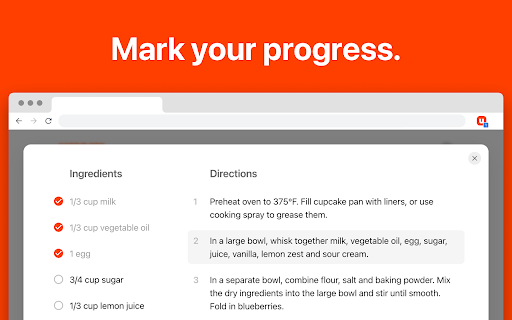
The recipe is shown in a beautifully simple sheet with ingredients and directions side-by-side. Click ingredients to check them off as you go and click steps in the instructions to mark your spot.
Your progress is saved as you cook. Even if you close the cooking sheet or refresh the page, you can still pick up right where you left off.
To save a recipe, click the "Import" button and select the recipe book you want to add it to. Once saved to Umami, you can edit and customize the recipe to your taste.

Reviews (4 cached)
★☆☆☆☆2025-07-02
Mollie DeBolt
The Chrome extension sucks - every website I go to it says "recipe not found on this page"
★☆☆☆☆2025-05-30
W
Never finds the recipe, I always end up having to use the mobile app to add a recipe.
★☆☆☆☆2025-05-01
Ryan Terry
Sadly, this extension doesn't work nearly as well as the web app when it comes to adding recipes. Oftentimes I'll find a recipe in-browser, click the extension and it doesn't find anything, whereas using the recipe browser on the mobile app and navigating to the exact same page works fine.
★☆☆☆☆2025-03-31
Paul Vidmar
I have a bookmark folder for all my recipes. I downloaded this to share with my wife. The first 15 I tried to add to Umami with the extension said "No Recipe Found, Please add manually"
Permissions (5)
Permissions
activeTabℹ Can access the current tab when you click the extension scriptingℹ Can inject scripts into web pages storageℹ Can store data locally in your browser tabsℹ Can see your open tabs and their URLs unlimitedStorage
Details
| Version | 1.0.5 |
| Updated | Nov 8, 2024 |
| Size | 24.17KiB |
| First Seen | Mar 27, 2026 |
Popular in household

Copy Me That
by Copy Me That
50K
★ 4.71
household
50K
★ 4.71
household

Recipes Stash
10K
★ 0.00
household
10K
★ 0.00
household

Find The Recipe
10K
★ 0.00
household
10K
★ 0.00
household

Blooket Hacker
by TheChromeExtension
7K
★ 3.00
household
7K
★ 3.00
household

Pinterest Dark Mode & Theme
by Bhupesh Singh
7K
★ 4.79
household
7K
★ 4.79
household
Popular Extensions

Adobe Acrobat: PDF edit, convert, sign tools
by Adobe Inc.
331M
★ 4.40
workflow
331M
★ 4.40
workflow

Grammarly: AI Writing Assistant and Grammar Checker App
by Grammarly
42M
★ 4.50
communication
42M
★ 4.50
communication

Chrome Remote Desktop
by Chrome Remote Desktop Release Managers
38M
★ 3.14
workflow
38M
★ 3.14
workflow

Microsoft Single Sign On
by Microsoft
36M
★ 2.27
workflow
36M
★ 2.27
workflow

Cisco Webex Extension
by cisco.chromestore
23M
★ 2.34
social
23M
★ 2.34
social