⚠️Not updated in over a year
Description
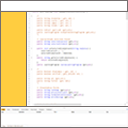
Make the Salesforce Developer Console a delight to use by replacing the useless tabs with an elegant sidebar.
The Tabs in the Salesforce Developer Console are barely usable, with no way to control their order, only a few fit on the screen and scrolling is a nightmare.
By moving the tabs to the side of the screen, you can see all of your open classes and components.
By making the font narrower, you can now read the entire names of your classes.
By sorting alphabetically, you can quickly navigate to the file you want to work with.

Reviews
Loading reviews...
Details
| Version | 1.0 |
| Updated | Jul 28, 2024 |
| Size | 15.18KiB |
| First Seen | Mar 27, 2026 |
Popular in developer

TouchEn PC보안 확장
by 라온시큐어
8M
★ 1.33
developer
8M
★ 1.33
developer

React Developer Tools
by Meta
5M
★ 3.95
developer
5M
★ 3.95
developer

WhatFont
by Chengyin Liu
3M
★ 4.01
developer
3M
★ 4.01
developer

Take Webpage Screenshots Entirely - FireShot
by Evgeny Vokilsus
3M
★ 4.79
developer
3M
★ 4.79
developer

Wappalyzer - Technology profiler
by Wappalyzer
3M
★ 4.56
developer
3M
★ 4.56
developer
Popular Extensions

Adobe Acrobat: PDF edit, convert, sign tools
by Adobe Inc.
331M
★ 4.40
workflow
331M
★ 4.40
workflow

Grammarly: AI Writing Assistant and Grammar Checker App
by Grammarly
42M
★ 4.50
communication
42M
★ 4.50
communication

Chrome Remote Desktop
by Chrome Remote Desktop Release Managers
38M
★ 3.14
workflow
38M
★ 3.14
workflow

Microsoft Single Sign On
by Microsoft
36M
★ 2.27
workflow
36M
★ 2.27
workflow

Cisco Webex Extension
by cisco.chromestore
23M
★ 2.34
social
23M
★ 2.34
social