
Description



Reviews (15 cached)
Only turns top bar grey.
It did not work at all, only the bar on top turned dark grey. Do not install.
Not working
It has a lot of UI issues, a lot of elements are still white and it just makes the screen just as hard to look at.
It just makes background black, so you have black text on black background.
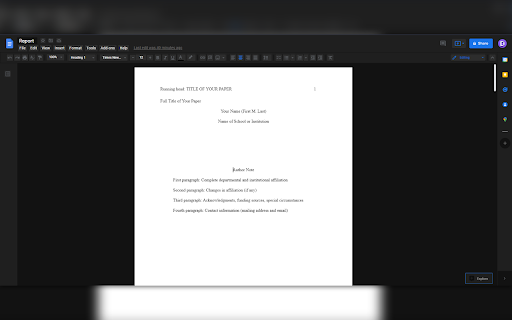
Doesn't look anything like the picture. The background behind the page isn't black, it isn't even dark, not even a dark grey. Very much false advertising to me.
Side stays unlike in the picture white. Doesn't work!
Looks nothing like the advertised pictures. Half the screen is still white. It's a horible mismatch of inverted colors.
Works literally only for "Docs" not for Slides or Sheets. Useless.
Doesn't even affect the backdrop, just the top menu bars
Not working at all, minimal options to choose from and does not work no matter what option is selected. If there is a fix, I am all ears. I'm surprised that Google and Gmail have their own dark mode, but docs does not have a theme options, makes sense.
It's OK, except it's starting to drift out of standard with Google Drive; not only are elements not colored in a dark mode, some things no longer show up due to changes made to Docs. Would be three stars if elements weren't obstructed and just certain things weren't dark mode, and four stars if it worked like it did a few weeks ago. Five stars would be if all elements of Docs were in a dark mode with Google-style contrasting (see Android's dark mode.)
It waa working fine. is just that now the document background is white for some reason.
Unfortunately it makes many of the drop-down menus difficult to see. It needs a larger colour palette, so that we can tell the menus and buttons apart from the background.
I liked that the menus were readable, but it only changed the color of the top bar, not the page itself. I don't want to edit the document itself because a lot of my documents are shared.
Details
| Version | 1.2.1 |
| Updated | Oct 25, 2022 |
| Size | 11.5KiB |
| First Seen | Mar 26, 2026 |
More by DevTopia





Popular in accessibility





Popular Extensions


