
Awesome Cookie Manager
Description


Reviews (21 cached)
cant backup all saved cookies
I've added it to chrome but the icon is nowhere to be seen...
Restoring saved cookies doesn't work (anymore)
Little mouse support, and what there is is off target. What you NEED is the date the cookie got there and what website(s) you were on when it got dropped. What you get is none of that. This is a "quick n' dirty" and it shows.
POS. Does little right and lots wrong. Can't select properly. Font too big to fit in window. Crummy programmer does crummy program. Deleted.
If it's suppose to help, they hide how to do that. Move on and get a serious extension
Way way worse than "Advanced Cookie Manager" in Firefox. I only use this when I'm desperate. Too many things to say here. Just install the Firefox extension "Advanced Cookie Manager" and you will see the difference.
Was looking for a replacement for the Firefox Cookie Manager. This ain't it. Takes forever to load and hangs browser until then. Shows about 7 sites at the top of the list and requires either scrolling or searching for the exact cookie you want to delete. Contrast that with FCM, which shows the site you are on at the top of the list, click, and it's deleted.
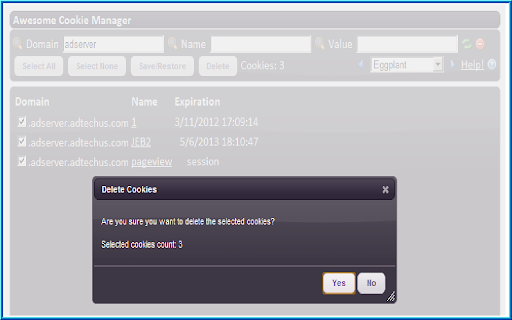
Not sure why the date change of the last update to July 19, 2025 but the extension doesn't work. Sure, it allows you to view your cookies in Chrome but even when you select to delete them, they're in fact not deleted. Basically, this is not a cookie manager, but a cookie viewer—nothing more.
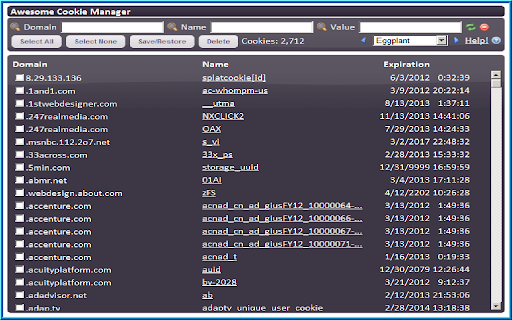
As a cookie manager it's alright. Could be a lot better if it supported boolean search operations. However, there's no way to manually resize the window, and it is not large enough even in the largest size in the dropdown. It needs to be alllowed to be "taller", as tall as the entire screen. As it is, you have to mess with two independent vertical scrollbars to accomplish any task--the one farthest right for the entire window because it can't fit it's UI in the space it allows (750 pixels max!), and then you also have to use the "inboard" scrollbar to the left of the other one to scroll the list of cookies for selection operations. The ability to open the UI in it's own full tab would be much better than just a window that disappears if you accidentally click outside it anywhere, which is what it is presently limited to. It's *settings* open in a full tab; why not the actual UI?
If I can't sort cookies, this is of little more use than the default cookie manager built into Chrome Dev Tools. Seeing cookies in alphabetical order is not helpful if I want to see cookies that were set in the last 15 minutes.
contains half a million 'themes'...and absolutely no way to sort cookies by name/url/date created/date expired...which is nice.
Needed to edit domain name. Wouldn't let me do it.
- Doesn't select the correct cookie when I click on one to examine. Looks at the content of two cookies below the one I click on. - No option to quickly/automatically look at cookies for the website I'm currently looking at. I always have to type it into the filter.
BEWARE! ADDS ADMITAB.com TO YOUR GOOGLE SEARCHES! It's a great app to keep your cookies at bay. Does as it says, but BEWARE!: it adds "admitab.com" to all your Google search results.
Not very awesome - can't add a new cookie :(
Not sure I trust it. My Internet connection was down and this extension failed to run or load any cookies. Once the Internet connection was back up it worked. Cookies are stored locally, so why did it need access to the Internet to work? Is it spying on me?
Great, but I'm missing the option to import cookies from a file.
Needs shift selecting, some sites put 15 or 20 cookies and if you want to keep or remove that site you have to select 20 times. I have over 5,000 cookies I'm trying to clean up so no having shift select makes it too hard to use.
Good and better UI, but memory usage is still higher than Cookie Manager. Need to make it lighter, otherwise I disable this while not in use.
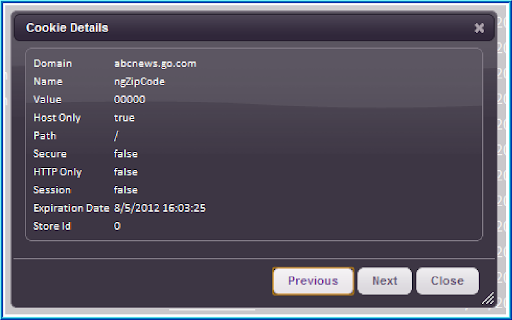
Good extension and very useful but the list of details view of the cookie is terribly small. The css must be removed from the modal window. For the rest excellent job. Massimo
Permissions (4)
Permissions
Details
| Version | 3.0.0.2 |
| Updated | Aug 14, 2025 |
| Size | 328KiB |
| First Seen | Mar 25, 2026 |
More by software@upway2late.com

Popular in developer





Popular Extensions




